Check prerequisites and steps first.
Find prerequisites, steps, and outcomes in the categorized instructions.
See the actual stepsSupport tickets and instructions
Keep the problem description and handling process in one record.
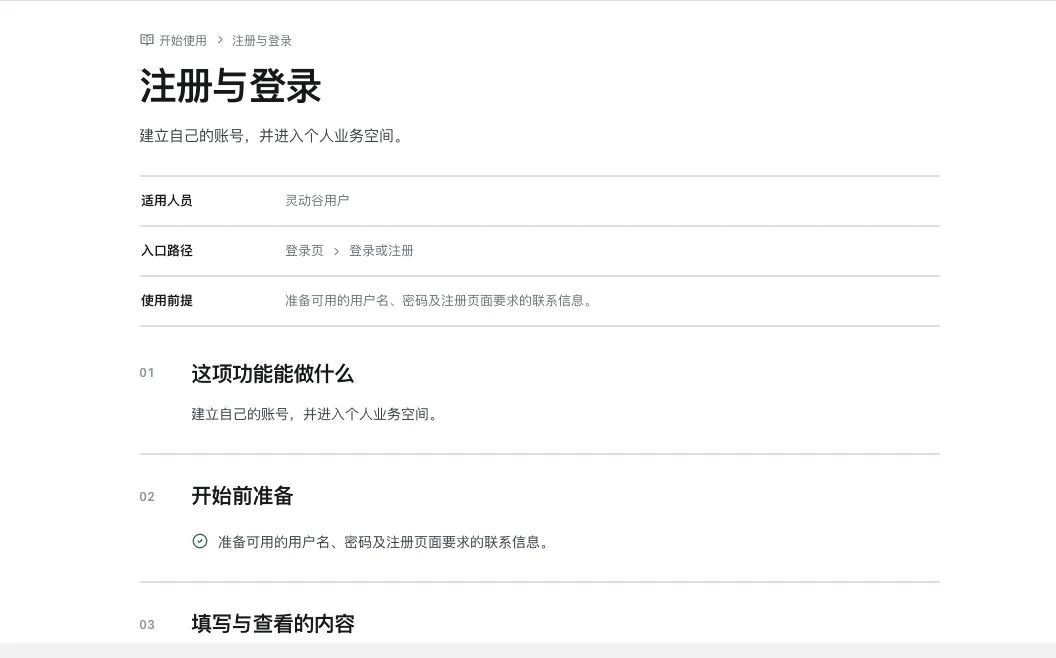
Actual instruction body, not successful login or registration. The full instruction directory was not searched, and no registration, login, or account edit occurred.
Keep the problem description and handling process in one record.
Source: 12 instruction categories, with source content revised on September 17, 2026. Documents are revised; ticket responses depend on actual service.
See this feature's highlights.
Find prerequisites, steps, and outcomes in the categorized instructions.
See the actual stepsPrepare a problem description and screenshots, then submit your own ticket.
See the actual stepsView actual status and replies, and continue according to feedback.
See how to checkExplain the feature through real work
Suppose a step produces a different result from the instructions.
Hypothetical scenario · Feature explanation, not a customer case or completed AI resultWhen to use it
When an operation fails, read its instructions first, then preserve symptoms and handling steps in a support ticket.
specific descriptions, related steps and appropriate screenshots.
prerequisites, steps and expected results in the relevant instructions.
Complete steps
Browse 76 instructions across 12 categories (source revision: 2026-09-17). Follow prerequisites, steps and results. Submit screenshots of issues and view actual handling statuses and replies. Unfulfilled response-time commitments are not made.
Find prerequisites, steps, and outcomes in the categorized instructions.
Prepare a problem description and screenshots, then submit your own ticket.
View actual status and replies, and continue according to feedback.
Explore the real interface further
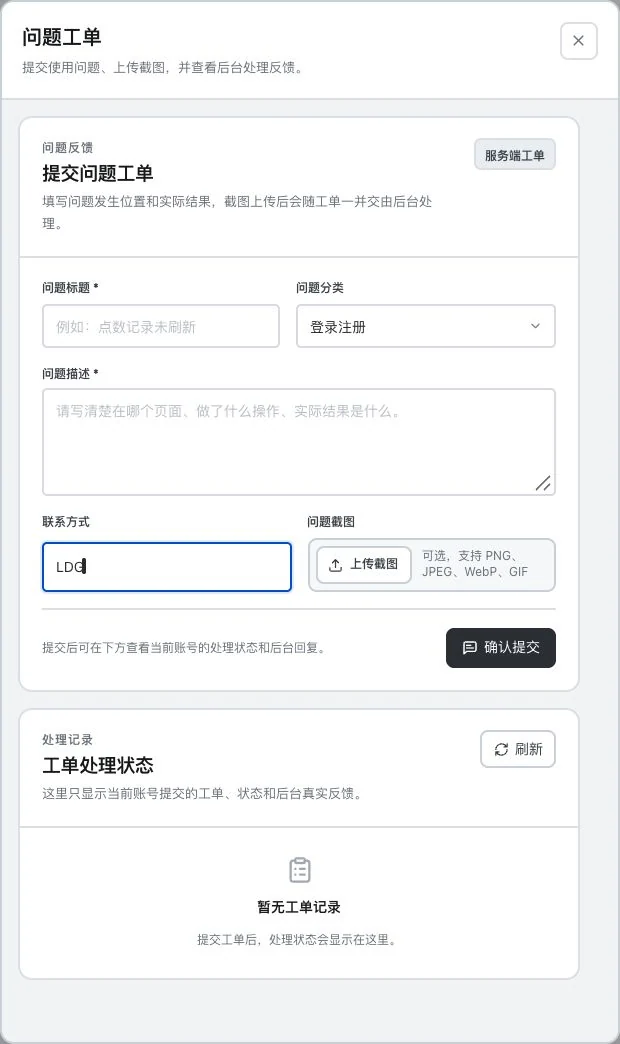
Title, description, and screenshots are empty; contact is only the LDG demo mark. No upload or submission occurred and no ticket exists. A backend response or specific response time is not established.
Understand the tool and human handling separately
Keep the problem description and handling process in one record.
Prepare a problem description and screenshots, then submit your own ticket.
This compares feature handling scopes. Scenarios explain the sequence, not measured efficiency or completed customer cases.
Connect the work from step to step
Continue according to actual feedback and record the outcome in the ticket. Do not include passwords or keys in screenshots.
Return to Accounts and team workspace for the complete workflowUnderstand before use
Instructions are revised over time. Ticket responses depend on actual service; no unfulfilled response deadline is promised.
Product facts and FAQsBack to the product feature directoryMore details in this product
Keep your identity and account information in a clear entry point.
Explore this feature on its own