Match purchasing parties to identities.
Enter the purchasing parties and order information.
See the actual stepsPurchase order
Keep required purchasing terms in one order.
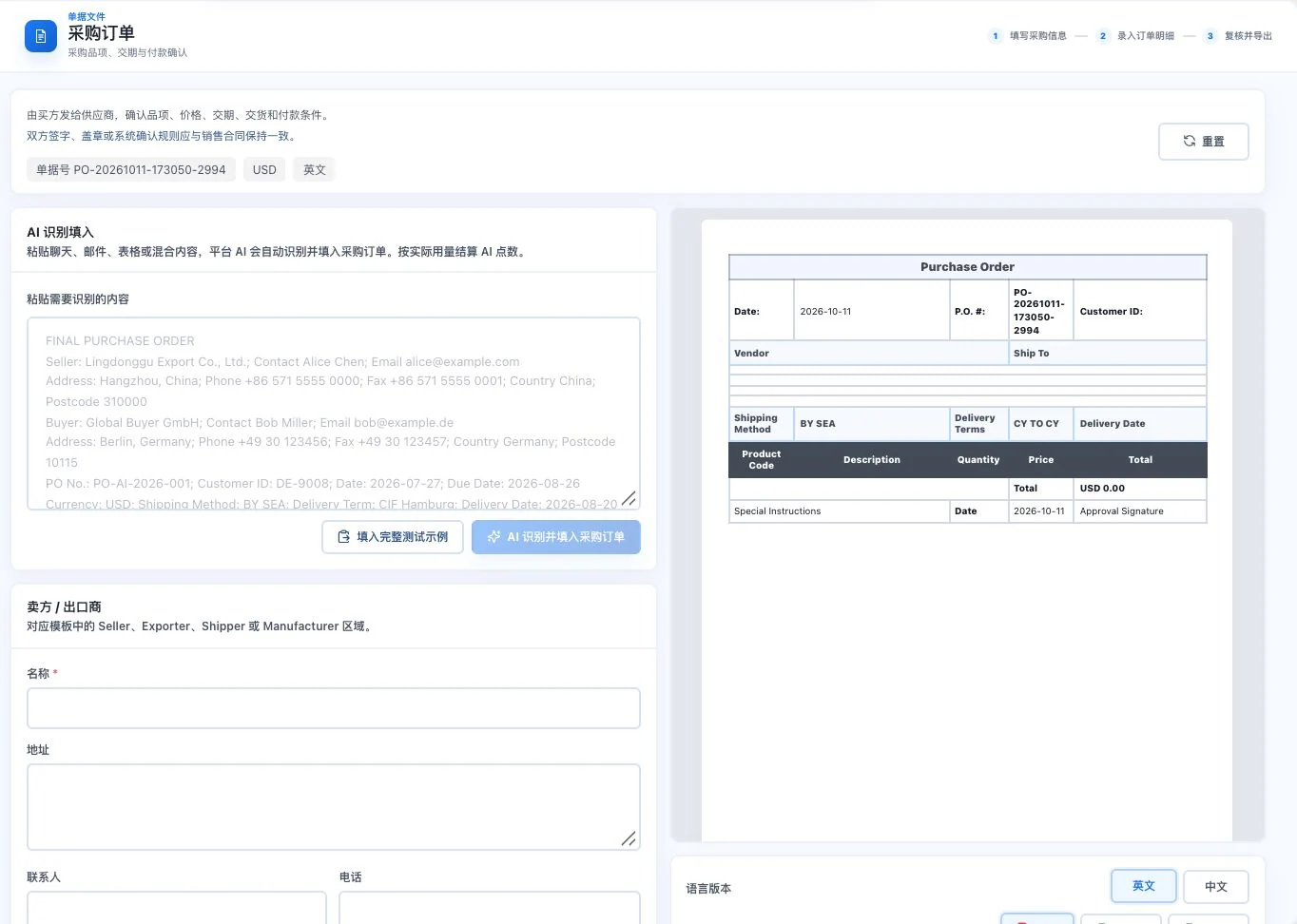
Seller, buyer, and items are blank. The preview uses default dates and transport conditions. Prompt examples were not inserted; no AI call or export occurred. This is not a confirmed order.
Keep required purchasing terms in one order.
How the feature works. Actual results depend on information, permissions, and service requirements.
See this feature's highlights.
Enter the purchasing parties and order information.
See the actual stepsEnter line items, quantity, lead times, and payment terms individually.
See the actual stepsReview this agreement, then prepare the purchasing document.
See how to checkExplain the feature through real work
Suppose a purchase includes two different delivery dates.
Hypothetical scenario · Feature explanation, not a customer case or completed AI resultWhen to use it
When specifying purchases and execution terms, keep quantities, delivery dates and payment agreements in the same purchase order.
both parties' identities, the order and product details.
quantities, delivery dates and payment terms.
Complete steps
Specify purchased items, quantities, delivery dates and payment terms. Review before generating the business document.
Enter the purchasing parties and order information.
Enter line items, quantity, lead times, and payment terms individually.
Review this agreement, then prepare the purchasing document.
Understand the tool and human handling separately
Keep required purchasing terms in one order.
Enter line items, quantity, lead times, and payment terms individually.
This compares feature handling scopes. Scenarios explain the sequence, not measured efficiency or completed customer cases.
Connect the work from step to step
After preparing the document, confirm it with the actual purchaser. Update corresponding business information when conditions change.
Return to Quotations and trade documents for the complete workflowUnderstand before use
Both parties must confirm document contents against the actual contract, lead times, and payment arrangements.
Product facts and FAQsBack to the product feature directoryMore details in this product
Provide packing details that logistics staff, recipients, and relevant business staff can verify together.
Explore this feature on its own