Choose the target market clearly.
Choose the target import market and product classification.
See the actual stepsProduct classifications and tariff sources
Connect classification research with tariff-source verification.
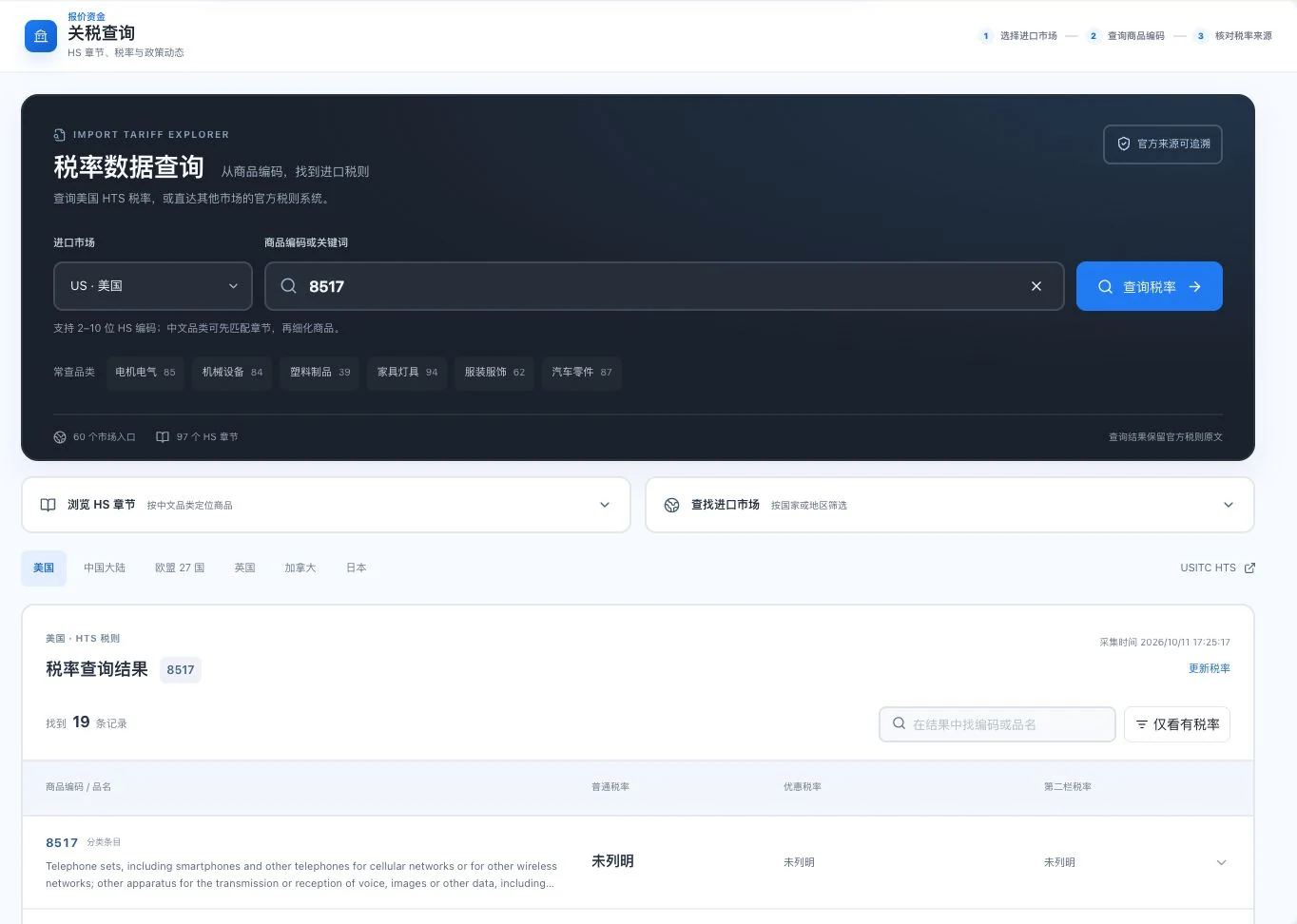
At capture, 8517 returned 19 classification records. Visible tariff fields were unspecified. Record counts do not confirm applicable tariffs; check official schedules and the specific goods.
See this feature's highlights.
Choose the target import market and product classification.
See the actual stepsFind the commodity code and current tariff-source entry point.
See the actual stepsReturn to the source to confirm conditions, dates, and exceptions.
See how to checkConnect classification research with tariff-source verification.
How the feature works. Actual results depend on information, permissions, and service requirements.
When to use it
When researching classification and tariffs in a target import market, locate the source before checking classification and applicability.
the actual product description and classification clues.
the target import market, tariff source and applicable date.
Complete steps
Find product classification and tariff-source links, then check the applicable market and conditions. Complete worldwide tariff coverage is not promised.
Choose the target import market and product classification.
Find the commodity code and current tariff-source entry point.
Return to the source to confirm conditions, dates, and exceptions.
Explain the feature through real work
Suppose similar products use different materials.
Hypothetical scenario · Feature explanation, not a customer case or completed AI resultUnderstand the tool and human handling separately
Connect classification research with tariff-source verification.
Find the commodity code and current tariff-source entry point.
This compares feature handling scopes. Scenarios explain the sequence, not measured efficiency or completed customer cases.
Connect the work from step to step
Use confirmed tariffs and conditions in cost discussions. Actual declarations still require professional review.
Return to Quotations and trade documents for the complete workflowUnderstand before use
Global tariff completeness is not promised. Actual classification and import conditions require professional review.
Product facts and FAQsBack to the product feature directoryMore details in this product
Handle customer documents and internal calculations separately to explain this transaction clearly.
Explore this feature on its own