Pair by QR code or phone number.
Pair your own account using a QR code or phone number.
See the actual stepsAuthorized login and network connection
Give account connection and subsequent management clear tools.
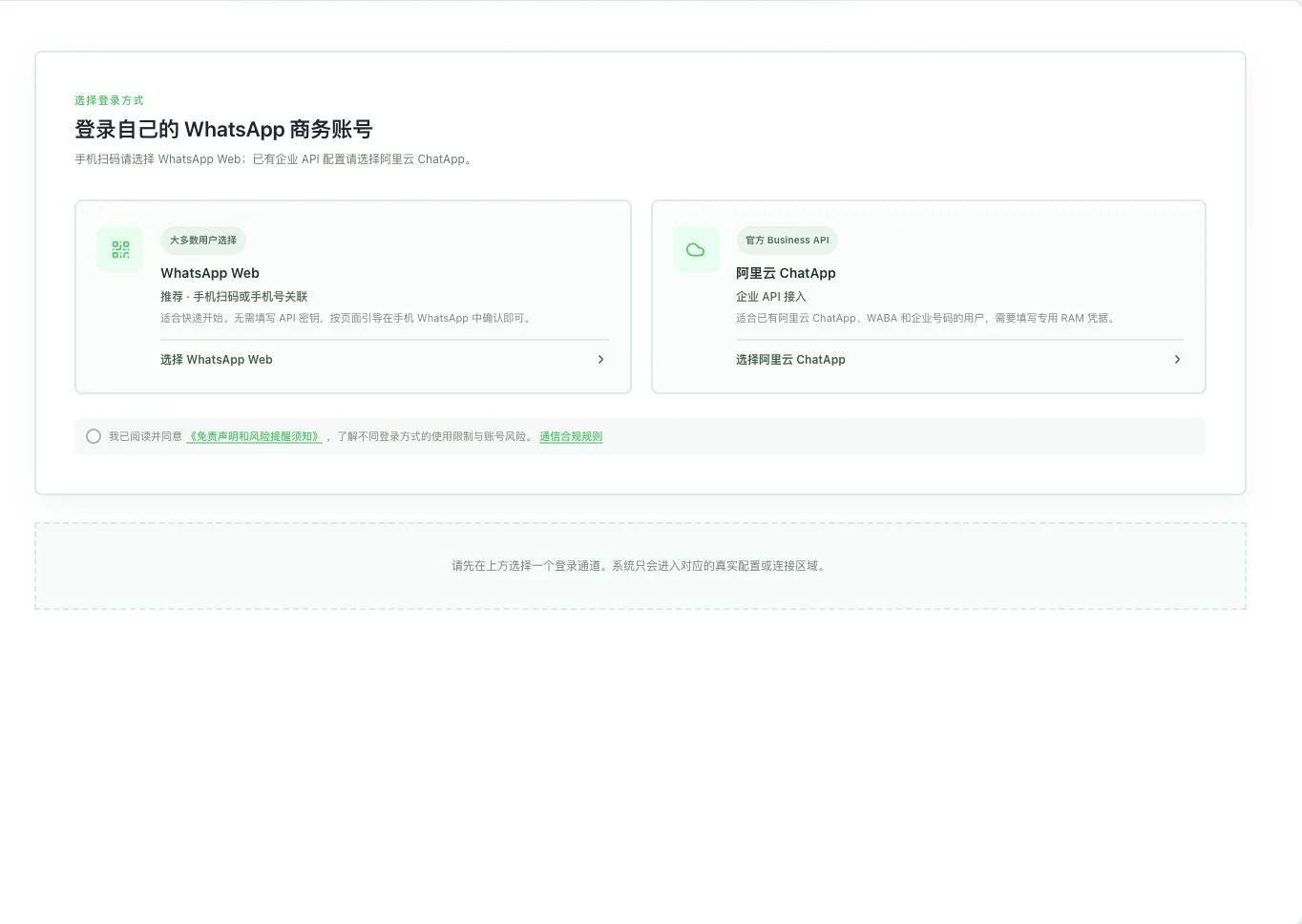
Only two routes are shown. No channel selection, rule agreement, scan, or connection occurred. Web uses unofficial automation; ChatApp requires the user’s business, number, and channel conditions.
See this feature's highlights.
Pair your own account using a QR code or phone number.
See the actual stepsConfigure and test the network connection according to channel requirements.
See the actual stepsSwitch, restore or delete your own connected account when needed.
See how to checkGive account connection and subsequent management clear tools.
How the feature works. Actual results depend on information, permissions, and service requirements.
Complete steps
Pair by QR code or phone number. Switch, restore or delete your own login accounts, and configure and test connections as required. Entitlements and running services are needed; network configuration cannot guarantee an unrestricted account.
Pair your own account using a QR code or phone number.
Configure and test the network connection according to channel requirements.
Switch, restore or delete your own connected account when needed.
Explain the feature through real work
Suppose a user switches to another business account they own.
Hypothetical scenario · Feature explanation, not a customer case or completed AI resultWhen to use it
After choosing a route, follow its pairing process when connecting or changing your own account, including authorization and network setup.
your own account and the QR code or phone pairing required by the route.
required benefits, running services and network configuration.
Understand the tool and human handling separately
Give account connection and subsequent management clear tools.
Configure and test the network connection according to channel requirements.
This compares feature handling scopes. Scenarios explain the sequence, not measured efficiency or completed customer cases.
Connect the work from step to step
View messages once the service and page are compatible and ready. Resolve authorization or channel problems first; do not assume messages were sent.
Return to Email and WhatsApp · Linbo for the complete workflowUnderstand before use
Benefits, running services and page compatibility are required. Network configuration does not guarantee freedom from account restrictions.
Product facts and FAQsBack to the product feature directoryMore details in this product
Connect current conversations with those that already happened.
Explore this feature on its own