Search by country and region.
Choose a country or region to view current reports.
See the actual stepsCountry and regional information
Organize information by target market for the next market discussion.
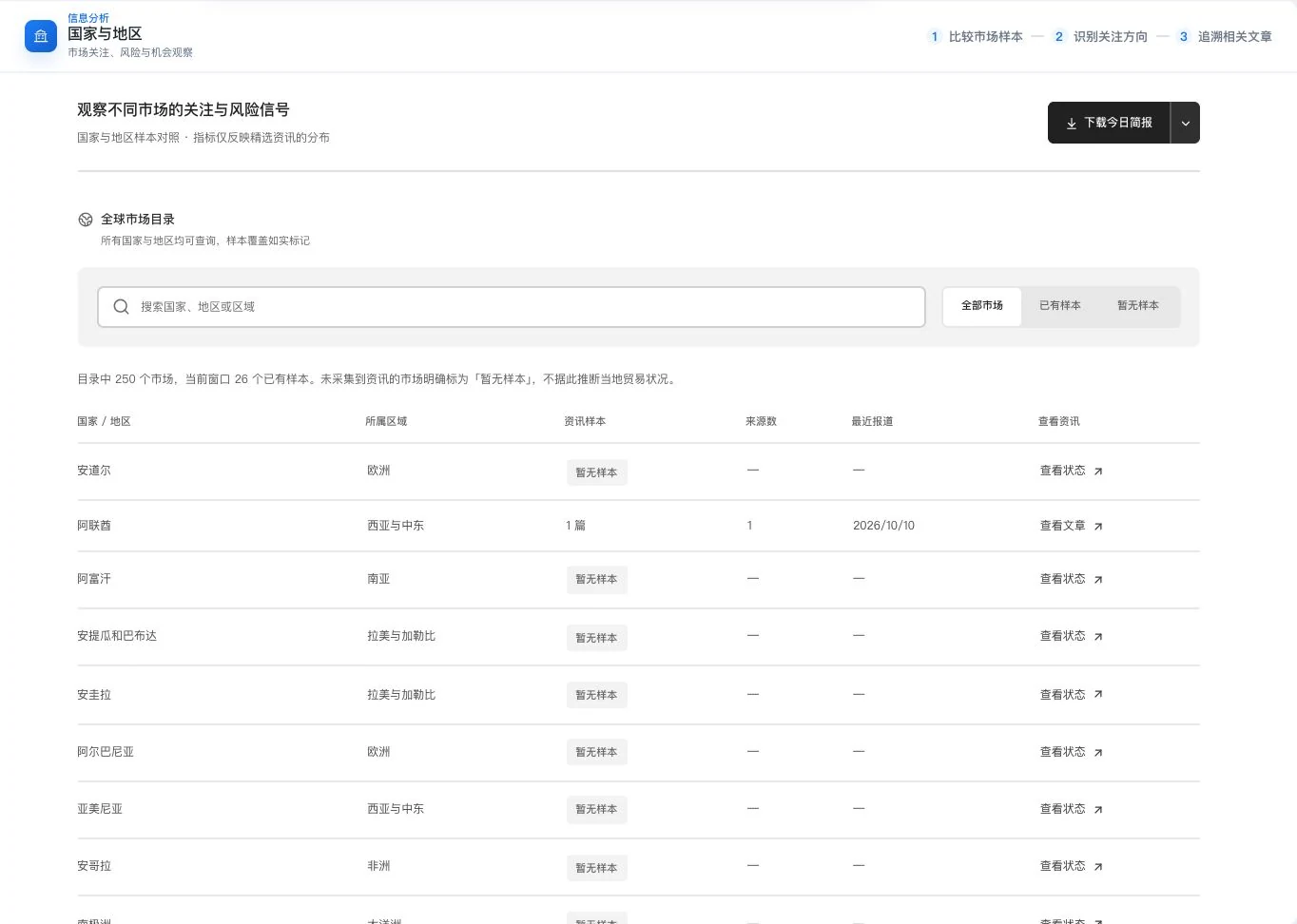
Real directory and current information-sample coverage. No sample does not mean no local trade; article counts do not measure market size, demand, or risk probability.
See this feature's highlights.
Choose a country or region to view current reports.
See the actual stepsDistinguish risks, opportunities and questions to verify.
See the actual stepsOpen related original sources and check the applicable markets and dates.
See how to checkOrganize information by target market for the next market discussion.
How the feature works. Actual results depend on information, permissions, and service requirements.
When to use it
When researching a target market, organize recent reports by country or region and distinguish evidence from judgments still to be verified.
the country or region you want to understand further.
current reports, sources, dates and relevant original texts.
Complete steps
View recent reports, risks, opportunities and sources by market, distinguishing known information from items to verify. Report counts do not represent market size, demand or risk probability.
Choose a country or region to view current reports.
Distinguish risks, opportunities and questions to verify.
Open related original sources and check the applicable markets and dates.
Explain the feature through real work
Suppose a market has received more reports recently.
Hypothetical scenario · Feature explanation, not a customer case or completed AI resultUnderstand the tool and human handling separately
Organize information by target market for the next market discussion.
Distinguish risks, opportunities and questions to verify.
This compares feature handling scopes. Scenarios explain the sequence, not measured efficiency or completed customer cases.
Connect the work from step to step
Use verified information for market research or customer communication. News samples are not demand forecasts.
Return to Trade information and learning for the complete workflowUnderstand before use
Article counts do not measure market size, demand, or risk probability.
Product facts and FAQsBack to the product feature directoryMore details in this product
Reorganize scattered updates by business topic to explore their impact on products.
Explore this feature on its own