Keep the trade-show context.
Open the imported exhibitor company directory.
See the actual stepsExhibition company information
Return to company information in its trade show context to prepare evidence for follow-up organization and contact.
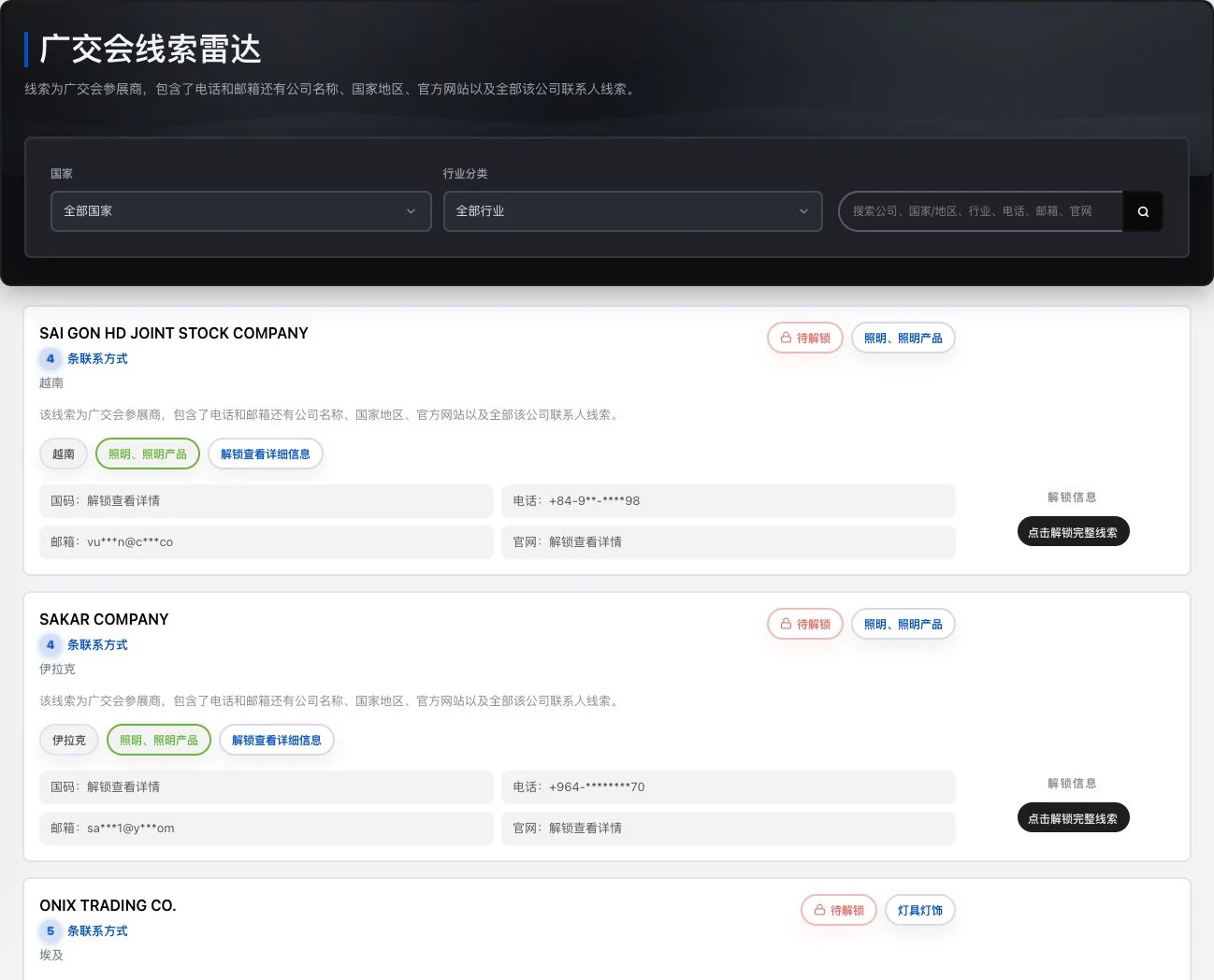
Loaded original-database company preview. Phone, email, and details remain masked and locked. The directory name does not establish official trade-show authorization or a current exhibitor relationship.
See this feature's highlights.
Open the imported exhibitor company directory.
See the actual stepsFind relevant companies using current filters and check existing exhibitor information.
See the actual stepsView records under actual unlock rules and arrange further verification.
See how to checkReturn to company information in its trade show context to prepare evidence for follow-up organization and contact.
How the feature works. Actual results depend on information, permissions, and service requirements.
Explain the feature through real work
Suppose you continue researching similar exhibitors after a trade show.
Hypothetical scenario · Feature explanation, not a customer case or completed AI resultWhen to use it
When organizing companies from a trade show, use existing exhibitor information to reconstruct the business context and plan post-show verification.
the show you are researching and the information already imported.
names, business descriptions and existing contact details in exhibitor records.
Complete steps
Search imported information for Canton Fair and other exhibition companies, and view existing contact records under unlocking rules. This does not imply official exhibition authorization or current participation.
Open the imported exhibitor company directory.
Find relevant companies using current filters and check existing exhibitor information.
View records under actual unlock rules and arrange further verification.
Understand the tool and human handling separately
Return to company information in its trade show context to prepare evidence for follow-up organization and contact.
Find relevant companies using current filters and check existing exhibitor information.
This compares feature handling scopes. Scenarios explain the sequence, not measured efficiency or completed customer cases.
Connect the work from step to step
Save verified companies as favorites or organize them in your own list, retaining sources for future customer records.
Return to Xunqi and CRM customer management for the complete workflowUnderstand before use
Information does not imply official trade show authorization, current exhibitor relationships or consent to contact.
Product facts and FAQsBack to the product feature directoryMore details in this product
Find contact details and understand why they appear here.
Explore this feature on its own