Paste text or choose a file.
Paste customer information or select a CSV, TSV or TXT file.
See the actual stepsCustomer information preview and import
Separate information preparation from final entry to leave room for checks and edits.
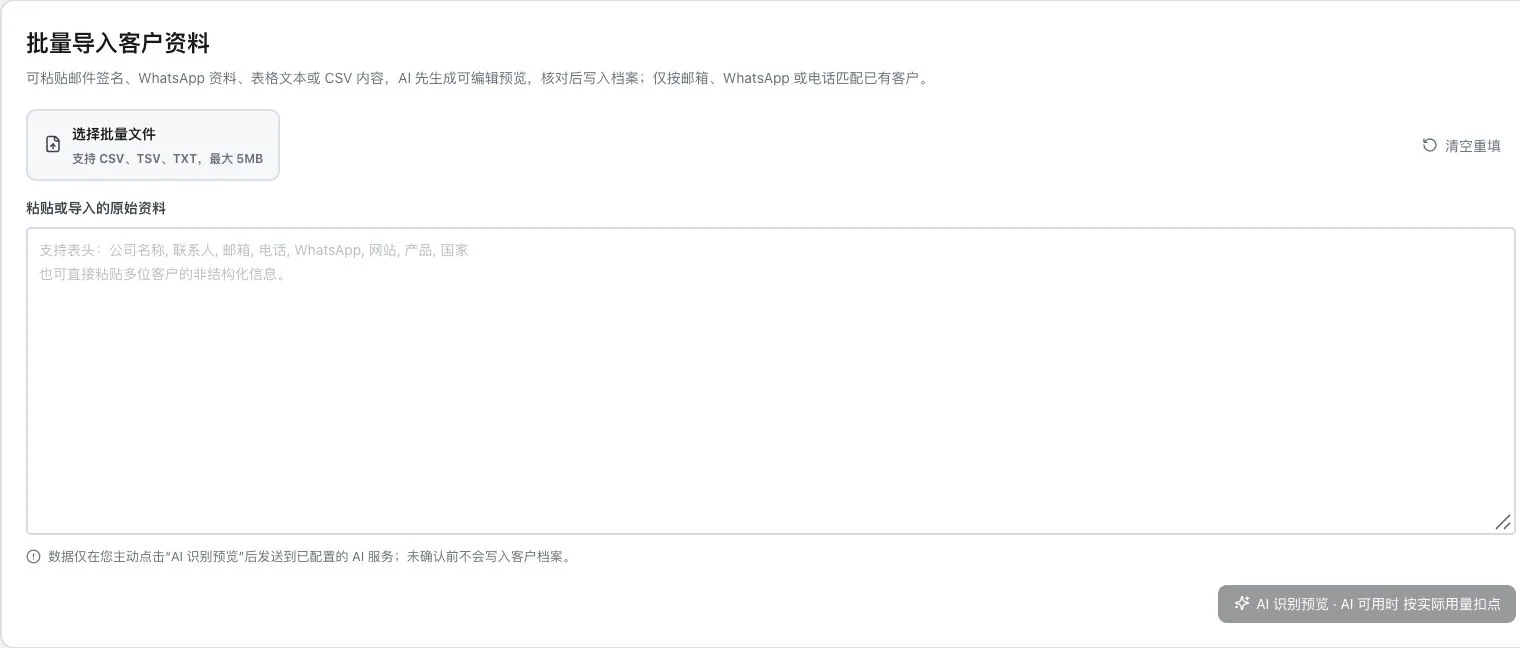
No pasted information, file selection, or AI recognition occurred. No preview was generated and no customer information saved. Formats and size are original entry conditions; actual import requires permission and service checks.
See this feature's highlights.
Paste customer information or select a CSV, TSV or TXT file.
See the actual stepsReview the row-by-row preview and edit company and contact fields.
See the actual stepsConfirm import after checking, then review the customer profiles.
See how to checkInput material: pasted text or CSV, TSV and TXT files.
See application scenariosBefore adding information to customer profiles, preview and correct it row by row.
See application scenariosCheck customer records after import. If suspected duplicates appear, continue with the difference review and merge process.
See application scenariosSeparate information preparation from final entry to leave room for checks and edits.
Source: customer preview import supports CSV, TSV, and TXT. Files are limited to 5 MB; non-tabular recognition requires AI readiness.
Complete steps
Paste information or select CSV, TSV or TXT files. Preview and edit first, then confirm import. Files are limited to 5 MB. Rules parse tables; AI recognition of unstructured information requires a ready service.
Paste customer information or select a CSV, TSV or TXT file.
Review the row-by-row preview and edit company and contact fields.
Confirm import after checking, then review the customer profiles.
Explain the feature through real work
Suppose a row in a spreadsheet has a company name and email in the wrong columns.
Hypothetical scenario · Feature explanation, not a customer case or completed AI resultWhen to use it
Before adding information to customer profiles, preview and correct it row by row.
pasted text or CSV, TSV and TXT files.
company, contact and corresponding contact details. Files must not exceed 5 MB.
Understand the tool and human handling separately
Separate information preparation from final entry to leave room for checks and edits.
Review the row-by-row preview and edit company and contact fields.
This compares feature handling scopes. Scenarios explain the sequence, not measured efficiency or completed customer cases.
Connect the work from step to step
Check customer records after import. If suspected duplicates appear, continue with the difference review and merge process.
Return to Xunqi and CRM customer management for the complete workflowUnderstand before use
Maximum file size is 5 MB. Tables support rule-based parsing; AI recognition of unstructured information requires ready services and benefits.
Product facts and FAQsBack to the product feature directoryMore details in this product
Keep the comparison process before removing duplicates to reduce the risk of losing business context prematurely.
Explore this feature on its own