Confirm container or vehicle specifications first.
Choose current container or vehicle specifications.
See the actual stepsCarton counts and volume
Prepare shared specifications for initial loading and transport-capacity discussions.
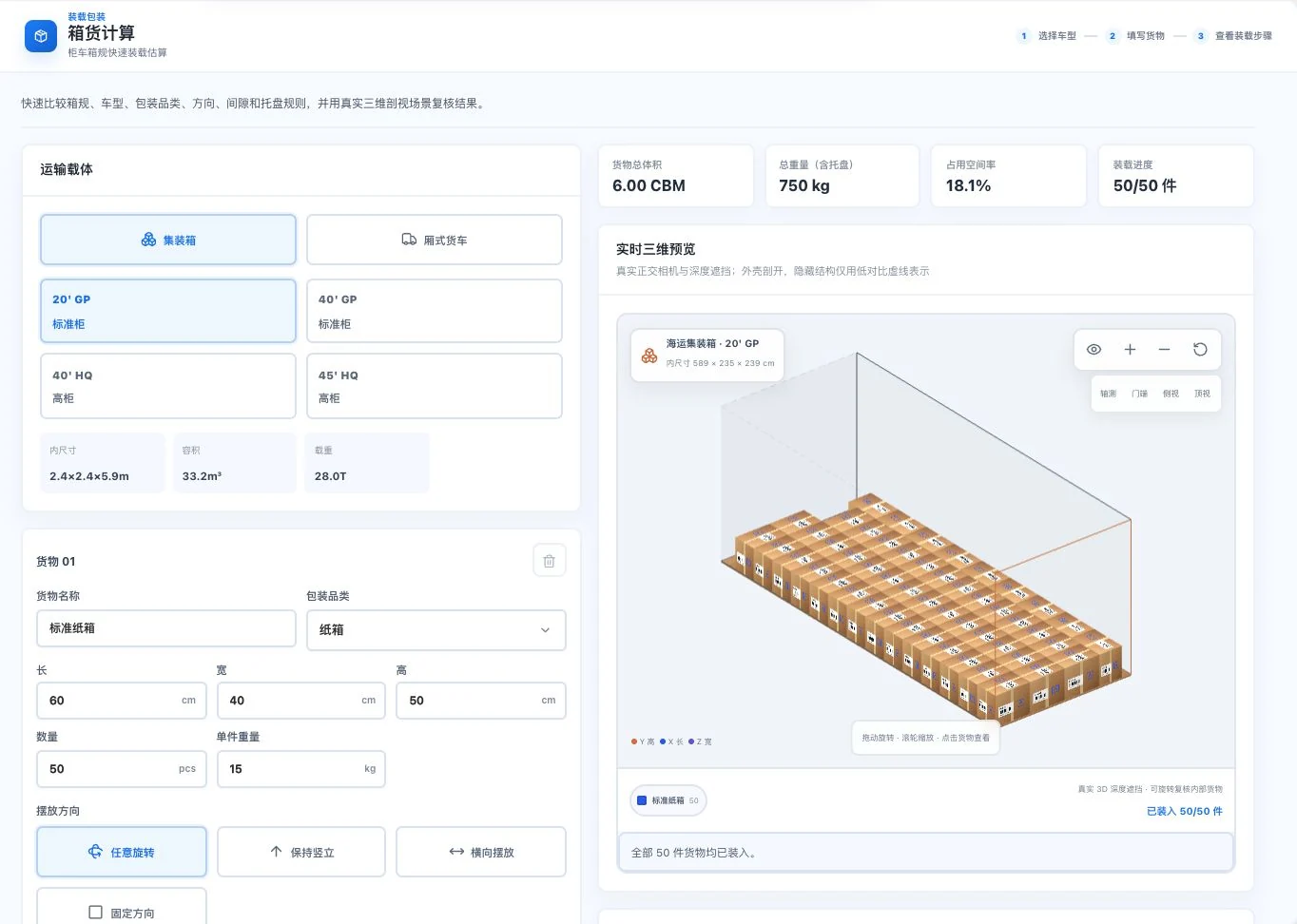
Container, carton dimensions, 50 units, and weight are default demo inputs. Quantities and occupancy are simulated results. No physical cargo was loaded; verify actual usable dimensions and constraints.
See this feature's highlights.
Choose current container or vehicle specifications.
See the actual stepsEnter carton dimensions, quantity, and actual dimensions.
See the actual stepsView loading counts, volume, and previews; verify actual restrictions.
See how to checkPrepare shared specifications for initial loading and transport-capacity discussions.
How the feature works. Actual results depend on information, permissions, and service requirements.
Complete steps
Calculate carton counts and volume from carton specifications, dimensions and container or truck conditions, then view the loading preview. Check inputs against actual goods; results do not replace on-site loading confirmation.
Choose current container or vehicle specifications.
Enter carton dimensions, quantity, and actual dimensions.
View loading counts, volume, and previews; verify actual restrictions.
Explain the feature through real work
Suppose you change an outer carton size.
Hypothetical scenario · Feature explanation, not a customer case or completed AI resultWhen to use it
For a preliminary estimate of carton quantity and transport capacity, confirm external carton dimensions and the usable container or vehicle dimensions together.
carton sizes, quantities and actual dimensions.
the selected container or vehicle and its actual restrictions.
Understand the tool and human handling separately
Prepare shared specifications for initial loading and transport-capacity discussions.
Enter carton dimensions, quantity, and actual dimensions.
This compares feature handling scopes. Scenarios explain the sequence, not measured efficiency or completed customer cases.
Connect the work from step to step
Use the preliminary results to discuss transport capacity. For placement details, continue to the 3D container calculation.
Return to 3D loading and packaging for the complete workflowUnderstand before use
Results do not replace on-site loading confirmation. Verify usable container or vehicle dimensions and cargo specifications.
Product facts and FAQsBack to the product feature directoryMore details in this product
Organize clauses requiring confirmation into an itemized business checklist.
Explore this feature on its own