Check the contact source first.
Select the email or WhatsApp number lead panel.
See the actual stepsEmail and phone leads
Find contact details and understand why they appear here.
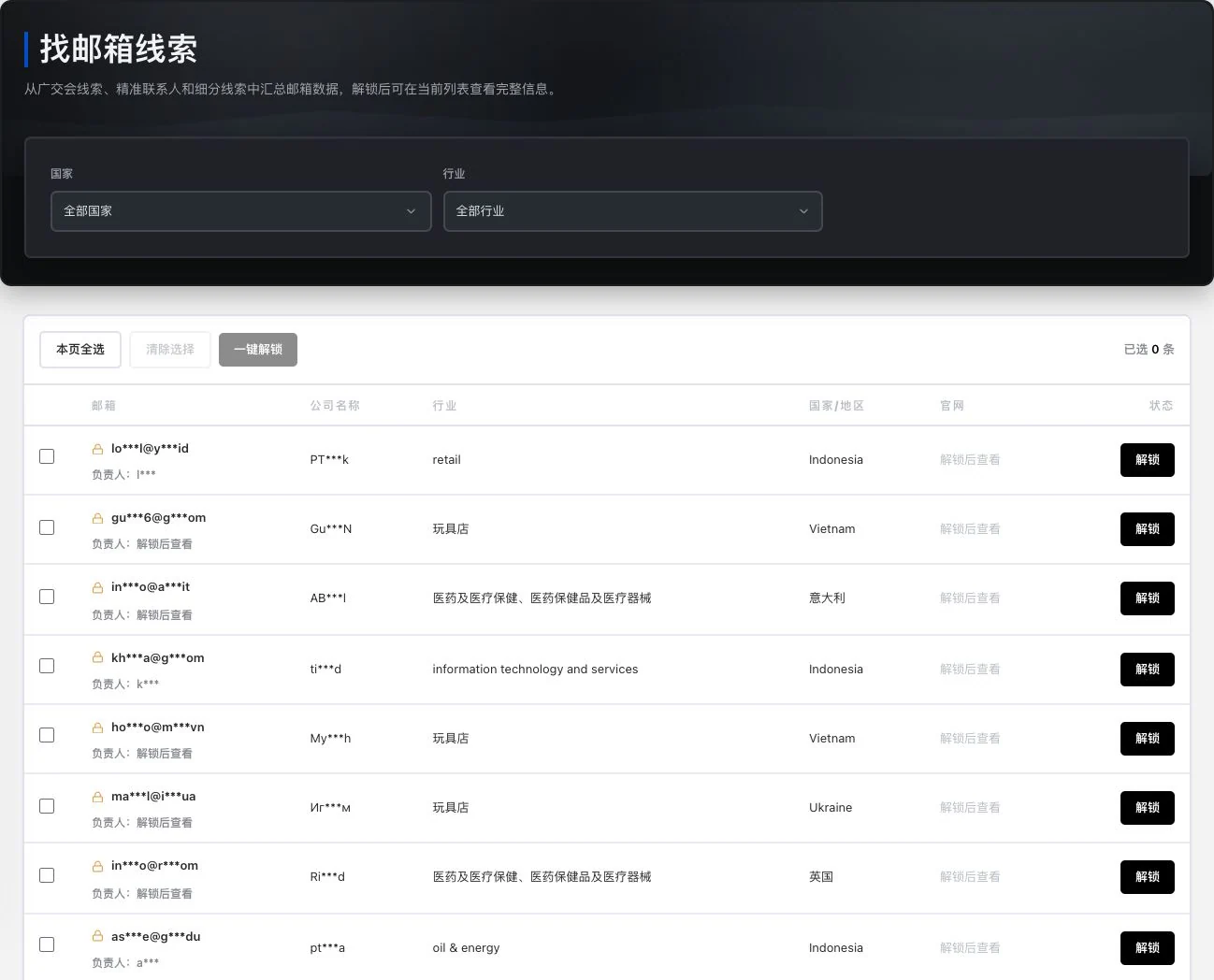
Real locked list with 0 selected records. No bulk unlock or email sending occurred. Public or unlockable information does not confer advertising-contact permission.
Find contact details and understand why they appear here.
Source: email and WhatsApp-number lead directories. Identity, reachability, and the basis for contact still require verification.
See this feature's highlights.
Select the email or WhatsApp number lead panel.
See the actual stepsReview the trade show, contact or location source associated with the record.
See the actual stepsCheck reachability and the basis for contact before adding it to your own list.
See how to checkUnderstand the tool and human handling separately
Find contact details and understand why they appear here.
Review the trade show, contact or location source associated with the record.
This compares feature handling scopes. Scenarios explain the sequence, not measured efficiency or completed customer cases.
Explain the feature through real work
Suppose a phone number lead is associated with a target company.
Hypothetical scenario · Feature explanation, not a customer case or completed AI resultExplore the real interface further
The list was still loading at 86% during capture. No entries selected, information unlocked, or WhatsApp connection made. Loaded numbers, reachability, or contact permission are not established.
When to use it
When you find an email address or WhatsApp number, first review its source and associated company before using it.
existing records in the current lead panel.
source material from the trade show, contact, location or company.
Complete steps
View existing information in email and WhatsApp-number panels. Emails can link to exhibition, contact and regional sources. Users verify phone reachability, sources and the basis for contact.
Select the email or WhatsApp number lead panel.
Review the trade show, contact or location source associated with the record.
Check reachability and the basis for contact before adding it to your own list.
Connect the work from step to step
Continue communication through your own verified channels and retain the basis for this contact.
Return to Xunqi and CRM customer management for the complete workflowUnderstand before use
Users must confirm availability, whether the details belong to the target company and the basis for contact.
Product facts and FAQsBack to the product feature directoryMore details in this product
Use communities, cargo listings and historical trade records as research starting points, then assess business relevance.
Explore this feature on its own