Match cargo information to the invoice.
Check the invoice and cargo information for this shipment.
See the actual stepsShipping notice
Pass required transport updates using the same information.
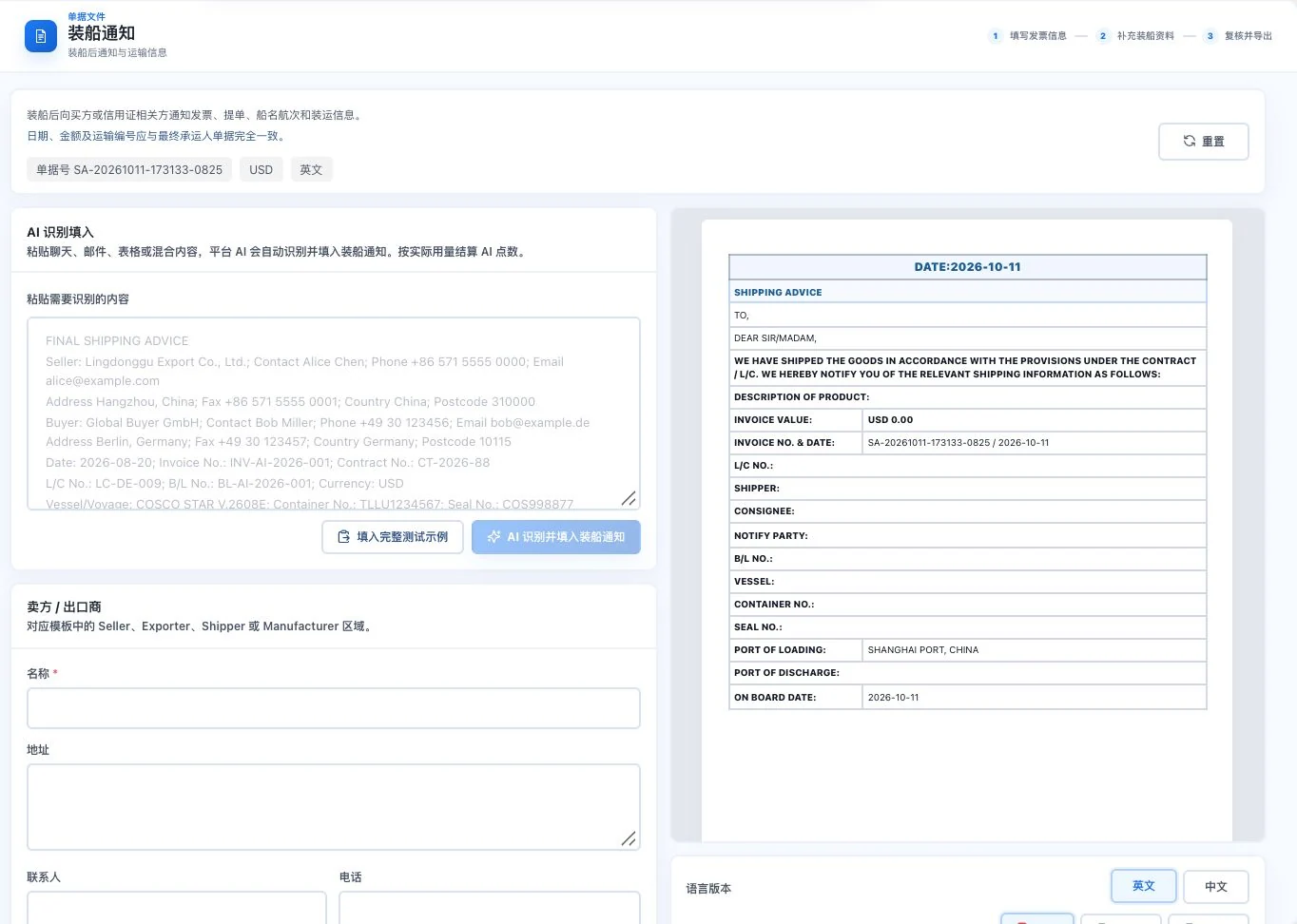
Original default blank form and notice template with amount 0. No AI call, export, or buyer notification occurred. This does not mean cargo has shipped.
See this feature's highlights.
Check the invoice and cargo information for this shipment.
See the actual stepsAdd sailing, shipping, and transport information.
See the actual stepsReview, then prepare the shipping-advice document.
See how to checkPass required transport updates using the same information.
How the feature works. Actual results depend on information, permissions, and service requirements.
Complete steps
Organize schedules, shipment and cargo information to prepare a shipping-notice document.
Check the invoice and cargo information for this shipment.
Add sailing, shipping, and transport information.
Review, then prepare the shipping-advice document.
Explain the feature through real work
Suppose the planned sailing date differs from the actual shipment date.
Hypothetical scenario · Feature explanation, not a customer case or completed AI resultUnderstand the tool and human handling separately
Pass required transport updates using the same information.
Add sailing, shipping, and transport information.
This compares feature handling scopes. Scenarios explain the sequence, not measured efficiency or completed customer cases.
When to use it
When actual shipment information is confirmed and another colleague needs it, organize clear shipment notice details.
this transaction's invoice and goods information.
actual sailing dates, shipment and transport information.
Connect the work from step to step
Let receiving and follow-on staff plan from actual facts. Update corresponding information if anything changes.
Return to Quotations and trade documents for the complete workflowUnderstand before use
Confirm sailing schedules and shipment facts. This notice is not a carrier receipt.
Product facts and FAQsBack to the product feature directoryMore details in this product
Prepare organized business information for professional declarants.
Explore this feature on its own