See transaction details as you enter them.
Choose a commercial invoice, pro forma invoice, or packing list.
See the actual stepsQuick invoices and packing lists
Input on the left, document on the right, so information stays visible during preparation.
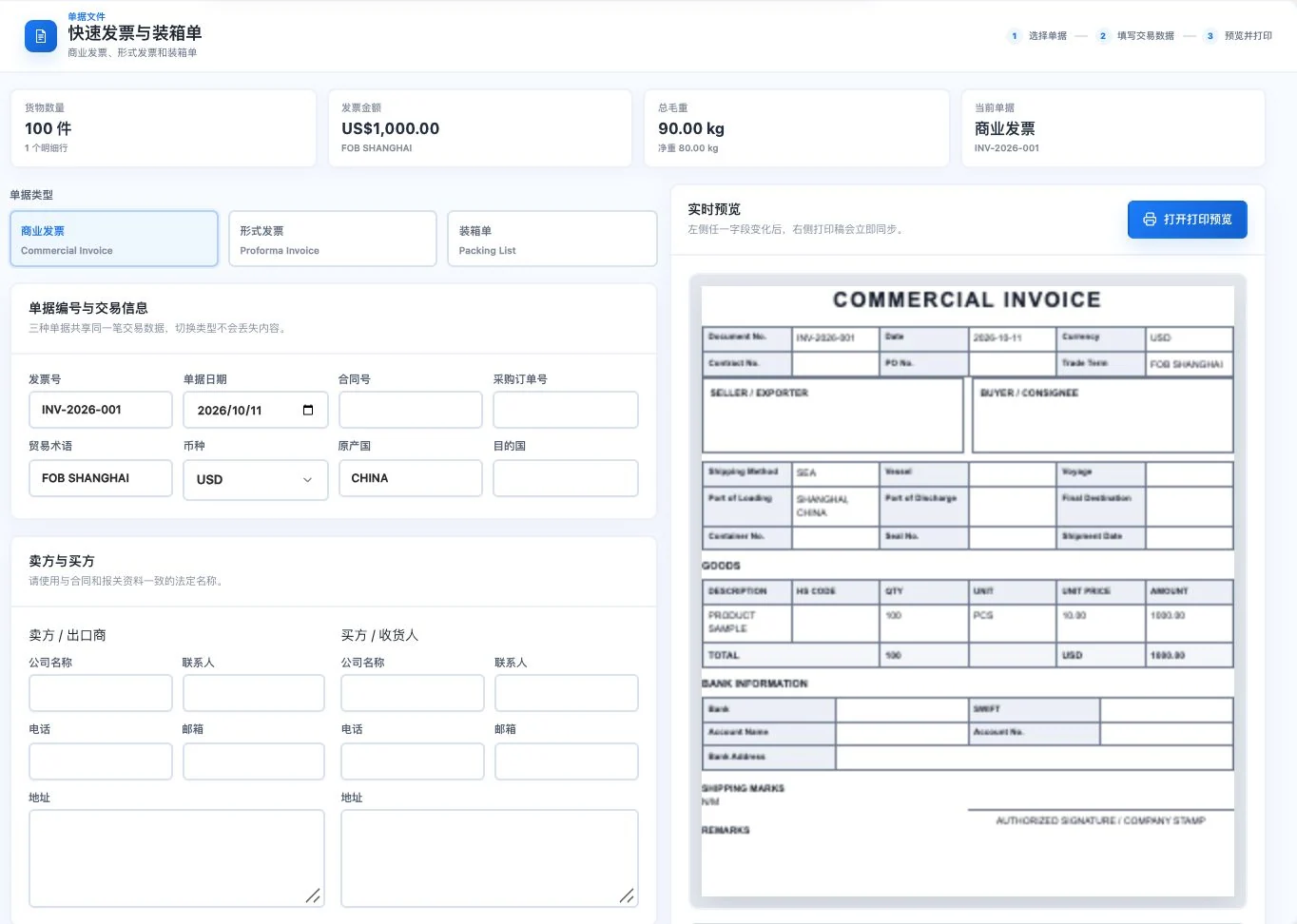
Uses original PRODUCT SAMPLE demo items, quantities, and amounts; transaction parties are blank. Commercial-invoice preview only, with no printing or export. This is not an actual transaction or tax invoice.
See this feature's highlights.
Choose a commercial invoice, pro forma invoice, or packing list.
See the actual stepsEnter basic transaction and cargo data to view the live preview.
See the actual stepsReview the print layout, then continue through browser printing.
See how to checkInput on the left, document on the right, so information stays visible during preparation.
Source: quick printing for commercial invoices, pro forma invoices, and packing lists. Complete professional templates are explained separately.
Complete steps
Quickly enter basic transaction information and preview invoices and packing lists for printing. Output scope is explained separately from professional document templates.
Choose a commercial invoice, pro forma invoice, or packing list.
Enter basic transaction and cargo data to view the live preview.
Review the print layout, then continue through browser printing.
Explain the feature through real work
Suppose you need to prepare a packing-list printout quickly.
Hypothetical scenario · Feature explanation, not a customer case or completed AI resultWhen to use it
For a quick basic transaction printout, check input and live preview within the same process.
commercial invoice, pro forma invoice or packing list.
actual transaction and goods data.
Understand the tool and human handling separately
Input on the left, document on the right, so information stays visible during preparation.
Enter basic transaction and cargo data to view the live preview.
This compares feature handling scopes. Scenarios explain the sequence, not measured efficiency or completed customer cases.
Connect the work from step to step
Confirm the current page's output scope before printing. Use the appropriate document template for full professional business conditions.
Return to Quotations and trade documents for the complete workflowUnderstand before use
This is a quick-document entry point. Its output scope and complete professional templates are explained separately.
Product facts and FAQsBack to the product feature directoryMore details in this product
Prepare scan-style presentation and watermark effects from the original document.
Explore this feature on its own