Original text and reply address at hand.
Select an incoming email in the inbox and read the original and reply address.
See the actual stepsInbox, reading assistance and replies
Read and prepare a reply around the same incoming email, keeping the customer context close at hand.
Hello,
Could you share the specifications and available packaging options?
We would also like to confirm the sample process before deciding on an order.
Thank you.
Summaries, labels, translations and editable drafts appear in the email. Choose favorites or highlights again to toggle them off.
Choose a Linbo action to change this email.
This page uses a fictional email and prepared demo results. Edit your draft and keep it while switching actions; reset clears it. No AI request or real email is sent.
See this feature's highlights.
Select an incoming email in the inbox and read the original and reply address.
See the actual stepsOpen Linbo beside this message's details and use summaries, tags, Chinese translation, replies or key-point assistance as needed.
See the actual stepsChoose an identity, add requirements, edit the draft, then check and decide whether to send. Sent and favorite folders let you revisit existing content.
See how to checkRead and prepare a reply around the same incoming email, keeping the customer context close at hand.
Source: summaries, labels, Chinese translation, reply drafts, and highlights. Check results against the original.
Explore the real interface further
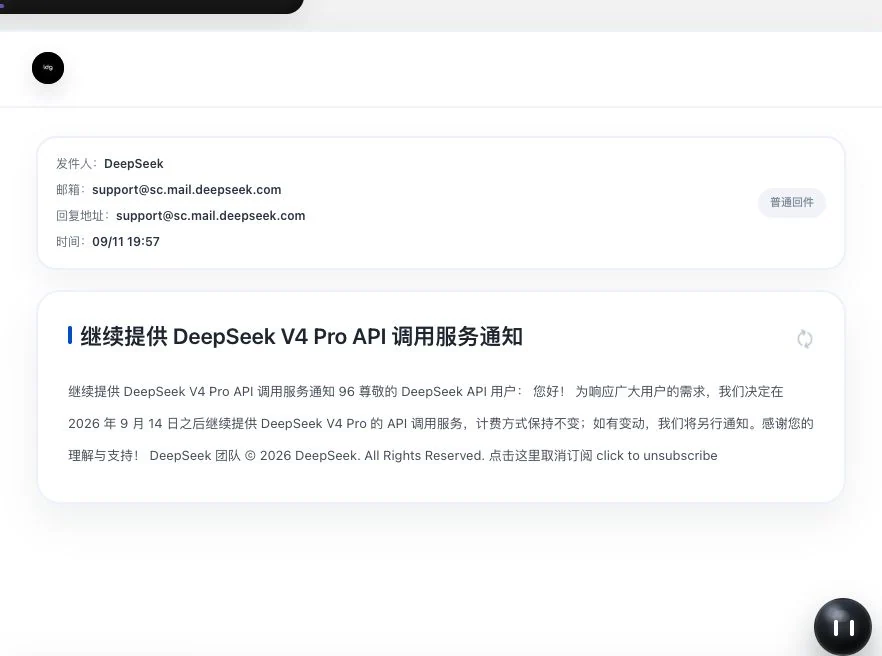
Real received screen of a public service notice. The body was still loading during capture. Only subject and summary are visible; full text or attachment reading success cannot be inferred.
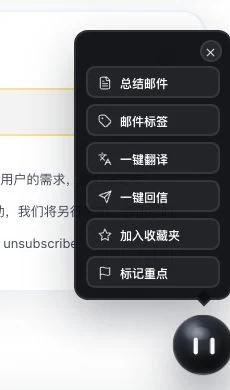
Only the original menu beside received-email details was opened. No AI action or favorite addition was executed. Five AI actions require models and points; favorites does not call AI.
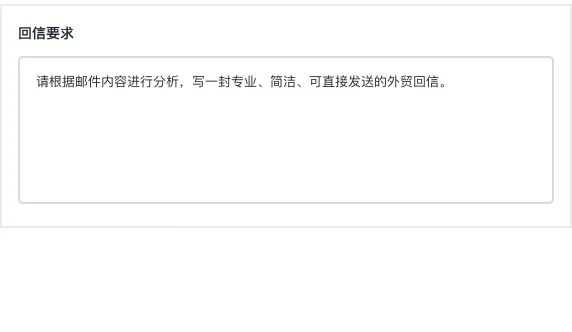
Only the additional-requirements field is shown, without sender identity or account selection. No analysis, reply generation, or email sending occurred.
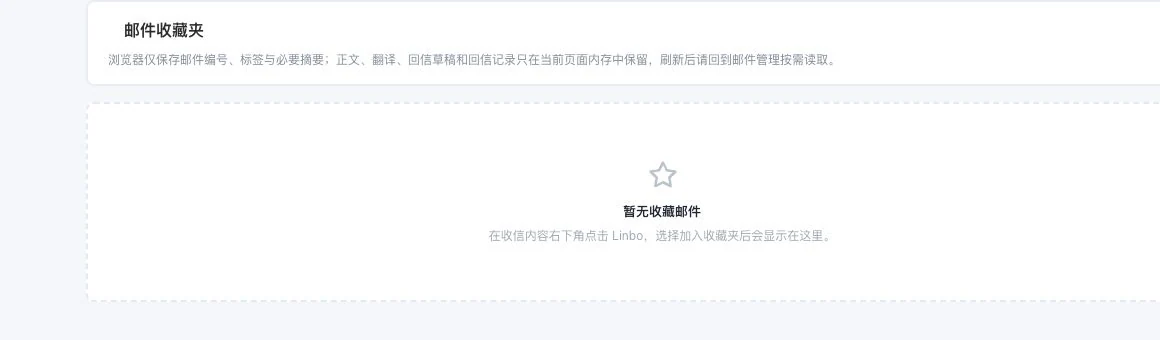
No favorite emails exist and none were added. Complete body text and assisted results remain only on the current page. Conversations retain only necessary length-limited metadata, not permanent full archives.
When to use it
When a customer email needs understanding or a reply, keep the original message, Linbo assistance and reply preparation centered on that email.
the selected message details, original text and reply address.
sender identity, explicit requirements and available AI and email conditions.
Complete steps
View received, sent and saved emails. AI provides 5 types of assistance: summaries, labels, translation, reply drafts and highlight marking. Drafts can include sender identity and requirements; edit before sending. Models and mailboxes must be ready.
Select an incoming email in the inbox and read the original and reply address.
Open Linbo beside this message's details and use summaries, tags, Chinese translation, replies or key-point assistance as needed.
Choose an identity, add requirements, edit the draft, then check and decide whether to send. Sent and favorite folders let you revisit existing content.
Understand the tool and human handling separately
Read and prepare a reply around the same incoming email, keeping the customer context close at hand.
Open Linbo beside this message's details and use summaries, tags, Chinese translation, replies or key-point assistance as needed.
This compares feature handling scopes. Scenarios explain the sequence, not measured efficiency or completed customer cases.
Explain the feature through real work
Suppose an email asks about a product's quantity and lead time.
Hypothetical scenario · Feature explanation, not a customer case or completed AI resultConnect the work from step to step
Decide whether to send after checking the reply address, identity and body. Sent and favorite folders let you revisit existing content.
Return to Email and WhatsApp · Linbo for the complete workflowUnderstand before use
Linbo's controls appear beside the selected incoming message. AI models, usage allowance and email must be ready. Check numbers, specifications, dates and commitments against the original item by item.
Product facts and FAQsBack to the product feature directoryMore details in this product
Keep a verification step for important information before sending.
Explore this feature on its own