Keep the original words first.
Save the actual conversation and preserve its original wording.
See the actual stepsConversation organization and human confirmation
Prepare the next action from a conversation while keeping a place for human review.
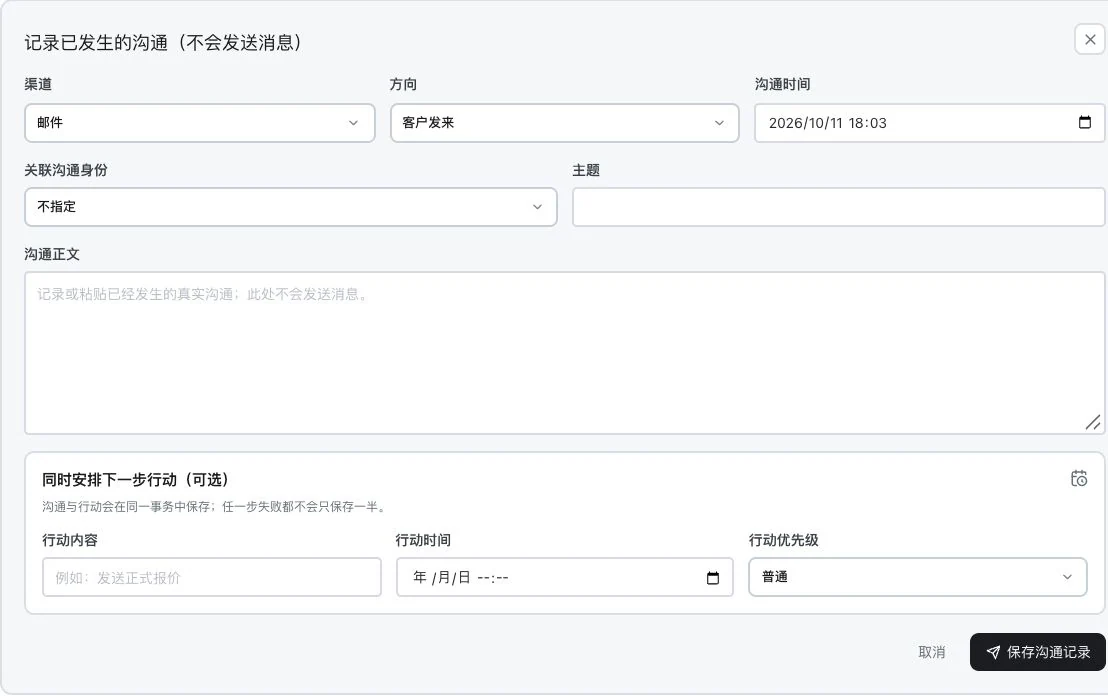
Subject, body, and actions are blank. No record saved or task created. This shows the original input entry only. It does not send messages and contains no AI analysis result.
Prepare the next action from a conversation while keeping a place for human review.
Source: suggested customer information, opportunities, and next actions. Suggestions require human verification.
See this feature's highlights.
Save the actual conversation and preserve its original wording.
See the actual stepsReview AI-proposed customer information, opportunities and actions.
See the actual stepsEdit against source excerpts and select the sections to confirm and update.
See how to checkUnderstand the tool and human handling separately
Prepare the next action from a conversation while keeping a place for human review.
Review AI-proposed customer information, opportunities and actions.
This compares feature handling scopes. Scenarios explain the sequence, not measured efficiency or completed customer cases.
Explain the feature through real work
Suppose an email asks about both samples and lead time.
Hypothetical scenario · Feature explanation, not a customer case or completed AI resultWhen to use it
When a conversation includes product needs, opportunities and next steps, save the original wording first, then confirm AI's proposed information item by item.
the genuine wording and traceable context of this conversation.
available models, benefits and the customer fields to be updated.
Complete steps
Save the customer's words, then ask AI to suggest customer updates, opportunities and next steps. Edit suggestions individually and choose what to save. Manual conversation records do not send messages, and inquiries are not counted as sales.
Save the actual conversation and preserve its original wording.
Review AI-proposed customer information, opportunities and actions.
Edit against source excerpts and select the sections to confirm and update.
Connect the work from step to step
Arrange the actual follow-up after confirmation. Final prices, lead times and sales still depend on real business confirmation.
Return to Xunqi and CRM customer management for the complete workflowUnderstand before use
An available model and corresponding benefits are required. AI suggestions are not sales facts, and manual records do not send messages on your behalf.
Product facts and FAQsBack to the product feature directoryMore details in this product
Turn the customer list into specific work to continue.
Explore this feature on its own