Features in concrete numbers
types
Content creation scenarios
Current scenario catalogue count. Actual access depends on models, accounts and service availability.
Content creation and marketing
Prepare product facts once. Explain them in articles, social posts, emails and video scripts separately.
See the highlights first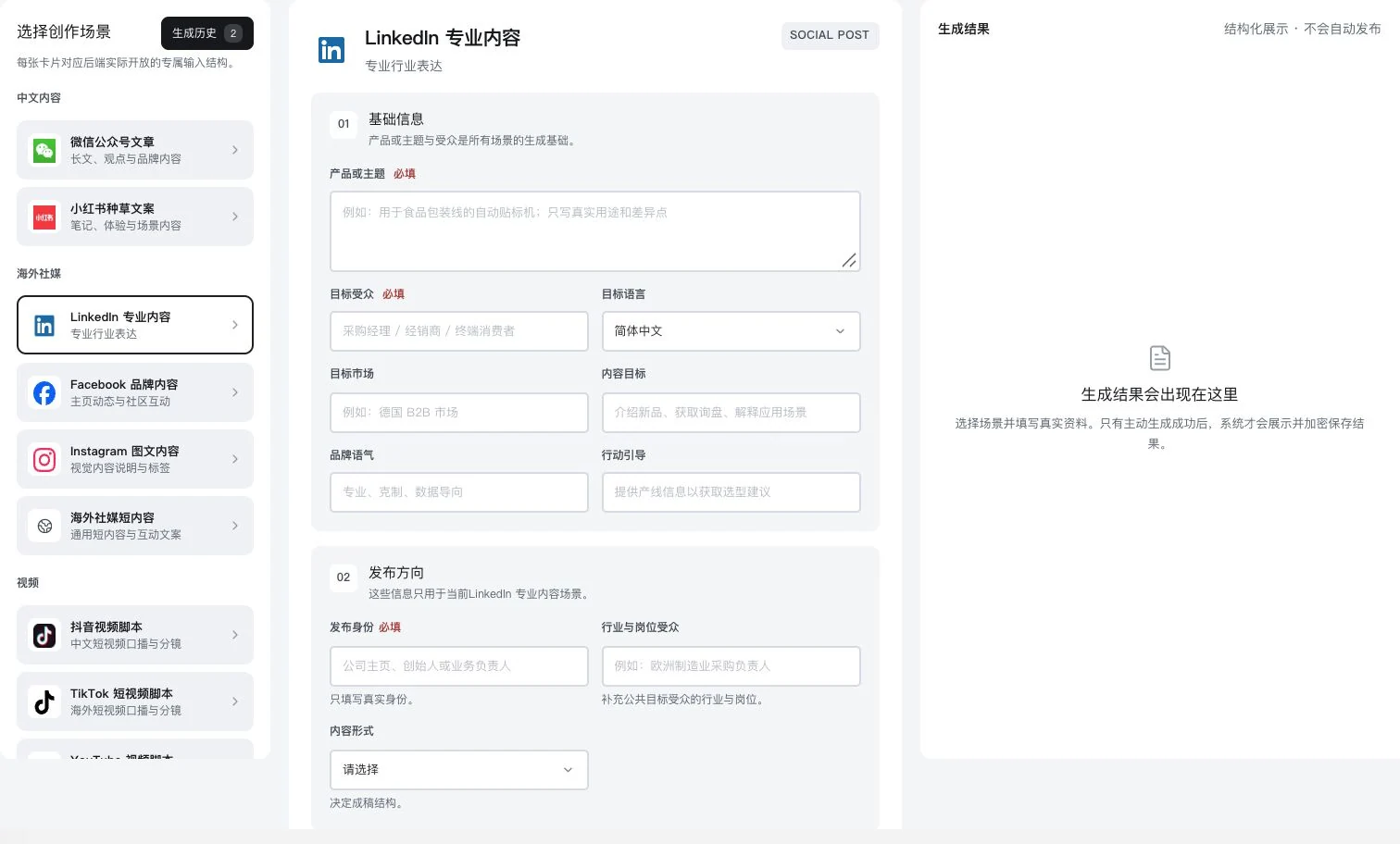
Original dedicated form with product and publishing direction blank; no result generated. No AI call, saving, publication, or LinkedIn account connection occurred.
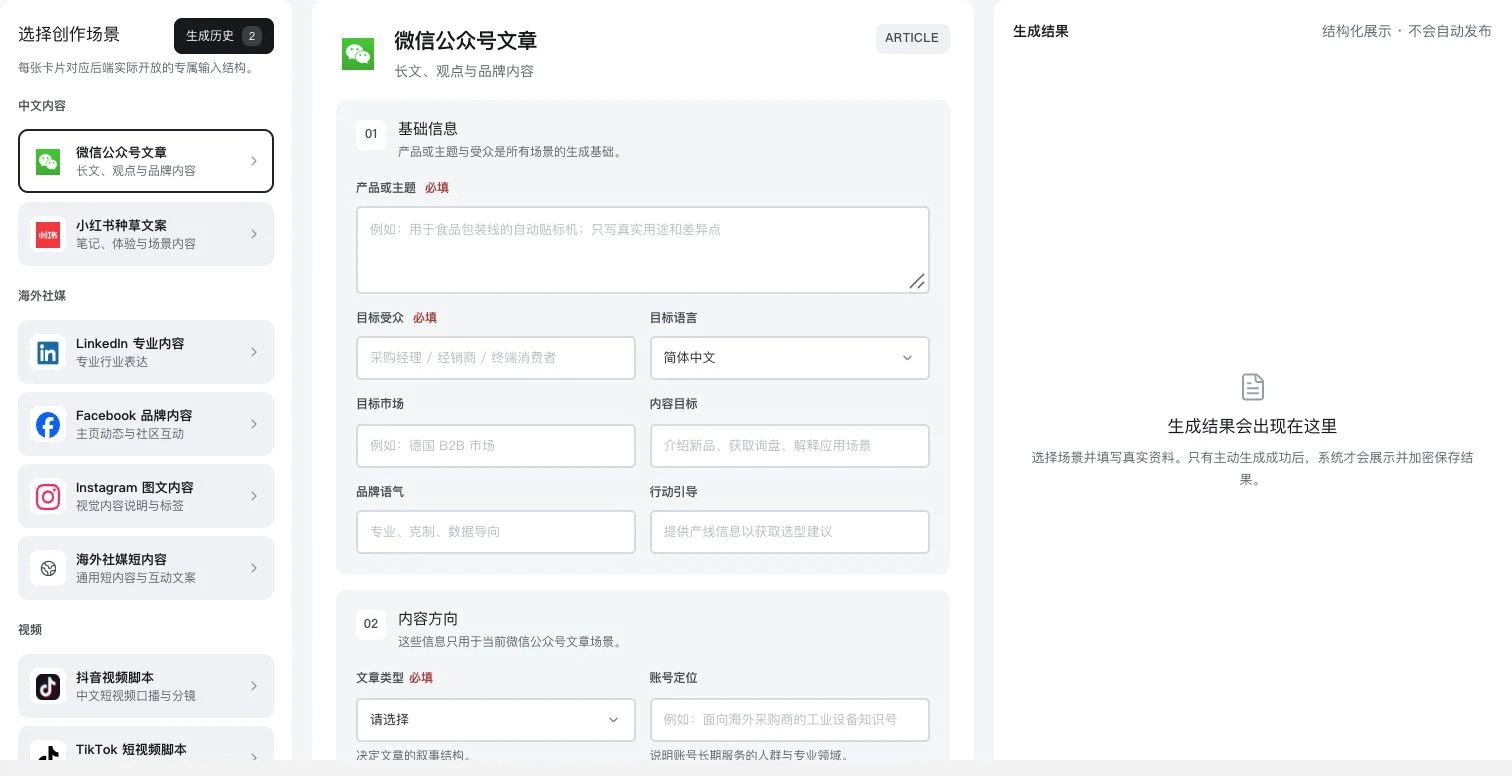
Only the Official Account scenario was selected. Product, audience, and content direction remain blank. History entry and saving explanations are visible; no AI call, generation, saving, or publication occurred.
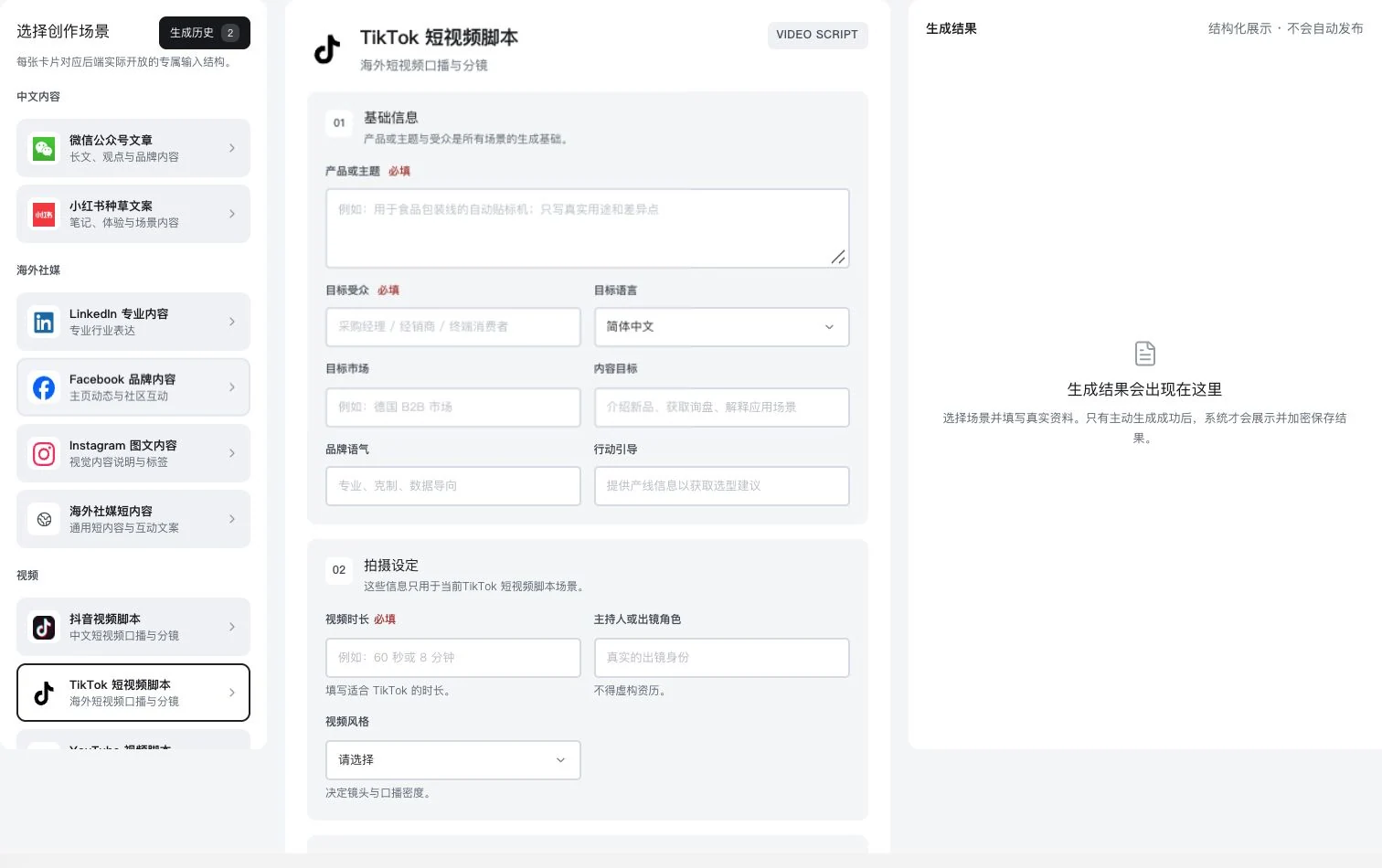
Only the TikTok script scenario was selected. Product, duration, and filming setup remain blank. No AI call, generation, saving, or video publication occurred. Finished-video quality is not implied.
Articles, professional social posts, emails, product listings and video scripts use the same product facts to prepare content for the current scenario. Materials, specifications and commitments. Check them first.
Explore this featureDifferent scenarios. Shared product facts
The scenario count comes from current features. Outputs are drafts awaiting review; access depends on models, accounts and service conditions.
Take a closer look
Materials, specifications and instructions can become social drafts for professional audiences. For short videos, continue with narration and shot planning.
Only the Official Account scenario was selected. Product, audience, and content direction remain blank. History entry and saving explanations are visible; no AI call, generation, saving, or publication occurred.
Original dedicated form with product and publishing direction blank; no result generated. No AI call, saving, publication, or LinkedIn account connection occurred.
Only the TikTok script scenario was selected. Product, duration, and filming setup remain blank. No AI call, generation, saving, or video publication occurred. Finished-video quality is not implied.
See these highlights
Useful capabilities are found in each specific task.
Features in concrete numbers
Current scenario catalogue count. Actual access depends on models, accounts and service availability.
01 / Explore more details
Prepare the topic, audience and references in full first.
Only the Official Account scenario was selected. Product, audience, and content direction remain blank. History entry and saving explanations are visible; no AI call, generation, saving, or publication occurred.
02 / Explore more details
The LinkedIn scenario prepares sender identity and expression direction separately.
Original dedicated form with product and publishing direction blank; no result generated. No AI call, saving, publication, or LinkedIn account connection occurred.
Features in concrete numbers
Workflow example: reuse the same actual product information across different scenarios.
03 / Explore more details
Start with filming conditions, then prepare narration and shots.
Only the TikTok script scenario was selected. Product, duration, and filming setup remain blank. No AI call, generation, saving, or video publication occurred. Finished-video quality is not implied.
Features in concrete numbers
Search-content and advertising projects. Authorized data and actual provider conditions are explained separately.
Numbers come from current feature definitions or real interfaces. Workflow numbers explain the presentation on this page; demonstration data is not a promise of efficiency or business results.View all features and conditions
Search-content and advertising projects
From supporting information to reviews, publishing evidence and evaluation, content has a complete work process.
Search-content projects have 7 workflow pages: information, site evidence, data, topics, production, quality and publication, and review. Each article task retains keywords, sources, reviews and versions, recording how it was made and where it was published.
Facebook advertising plans use 8 workflow pages to check business goals, order costs and historical data, then organize audience assumptions, strategy, creative and budget experiments. Without history, only estimates are made. Define evaluation and stop conditions first; ads are not launched automatically.
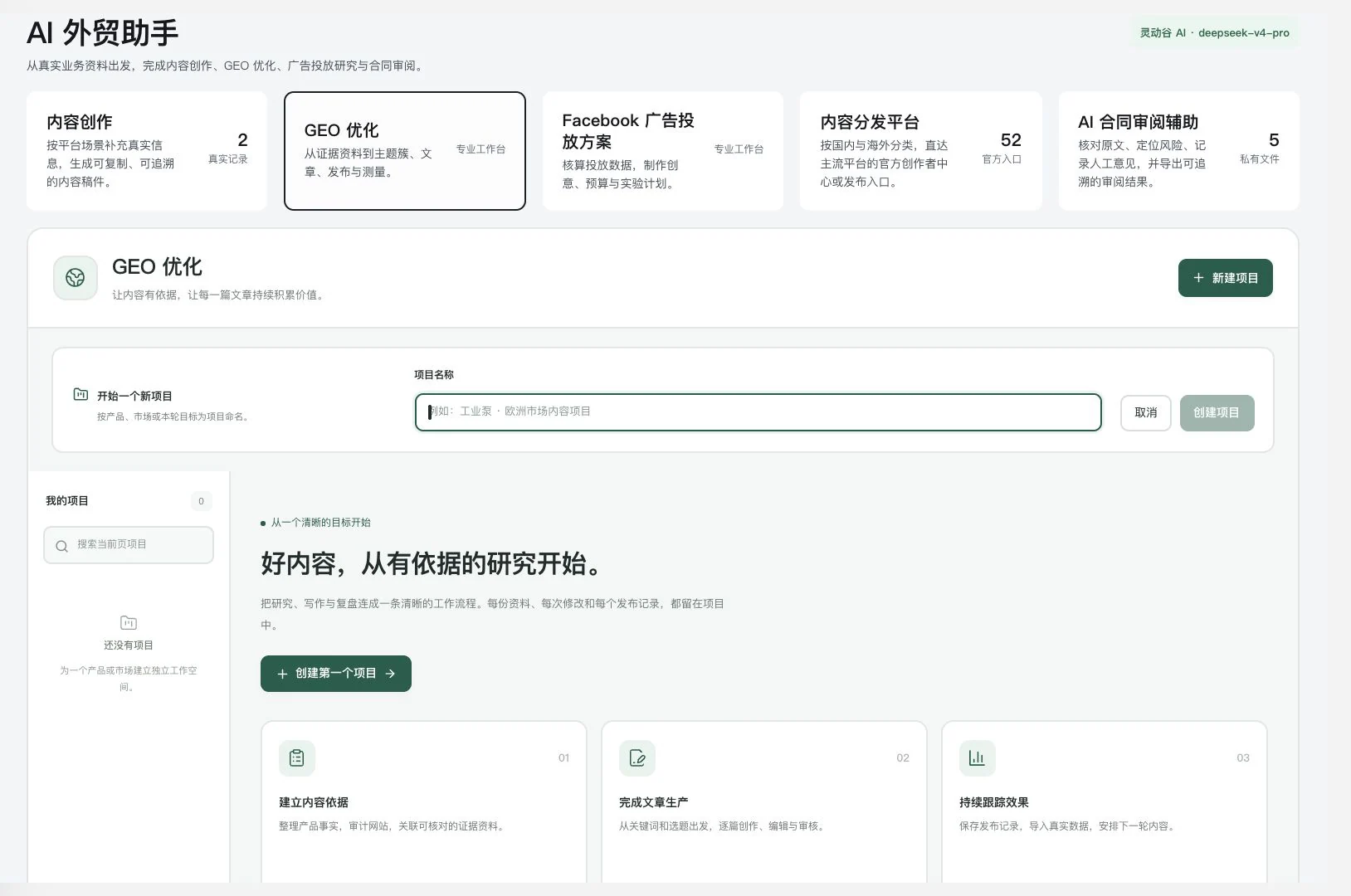
Name is blank, creation button disabled, and no project created or executed. The top shows original service links and current account status, not delivery counts or performance advertising data.
Product facts, website information and authorized data explain the content and market context.
Check sources, specifications, commitments and versions. Arrange actual publication after human confirmation.
Retain publishing evidence or budget experiment conditions, then use actual data to plan the next round.
Keep only a content draft, with no record of topic evidence or how to judge the next step.
Article tasks, reviewed versions, publishing evidence and evaluations continue in the same project.
7 and 8 are current workflow-page counts. Platforms determine indexing and advertising outcomes; the software does not guarantee results.
Saving, publishing and data
22 domestic and 30 overseas links, with publishing and data conditions explained separately.
View, copy, save outputs encrypted and reopen them. Growth projects also export ZIP files through relevant entries. After confirming content, sign in through official platform links and publish yourself, meeting channel requirements for images, titles, formatting and authorization.
Meta, Search Console and SerpApi data require your authorization, available permissions and quotas. Check currency, time zone and attribution separately for your product CSVs and keyword observations. Batch tasks retain sources, snapshots, failed batches and export records.
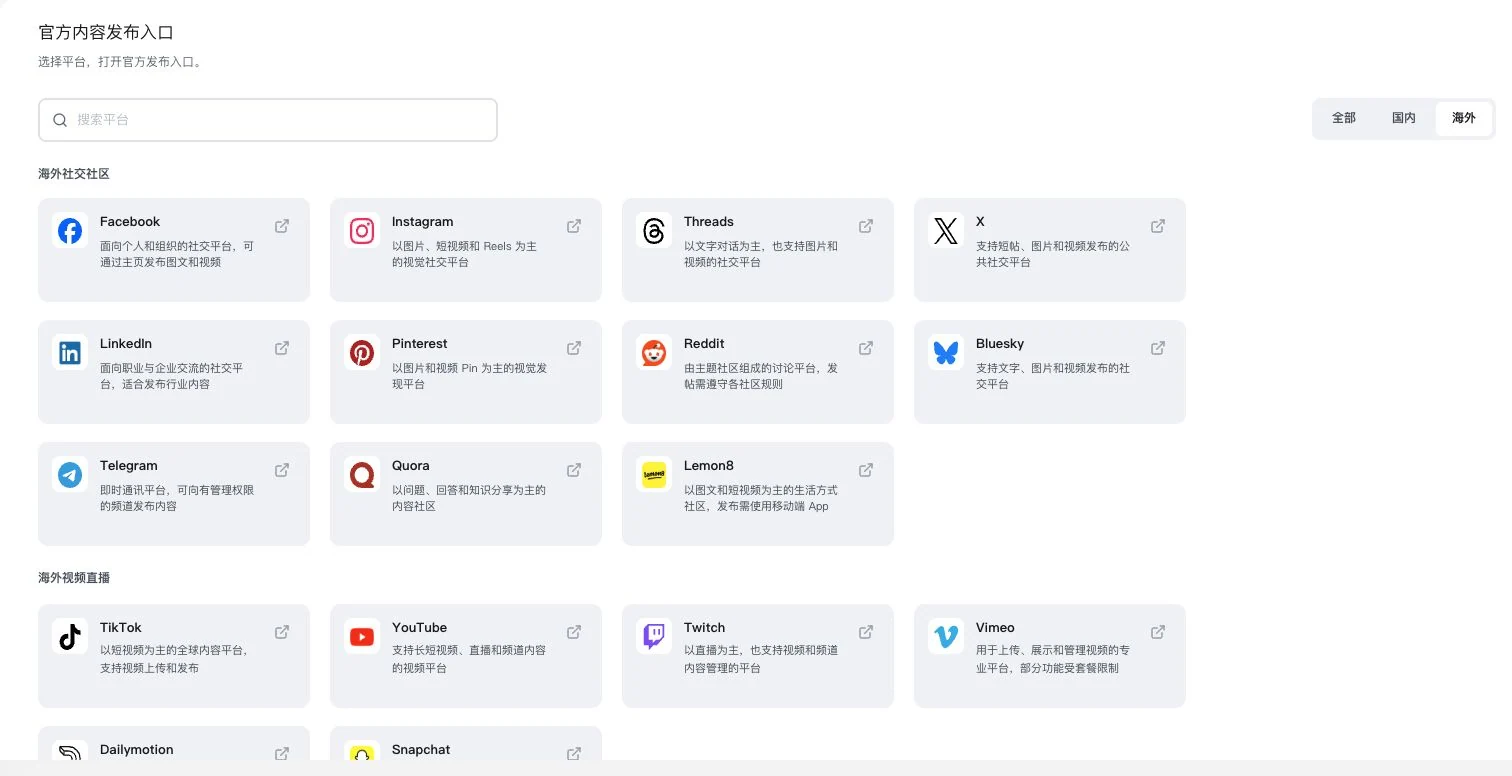
Only the international directory was selected. 52 is the complete domestic-plus-international total. No navigation or publication occurred. Users log in themselves and follow actual platform rules. Platform partnerships are not implied.
Review product facts and your edits, then reopen the draft to continue.
Choose the platform and sign in yourself. Confirm content permissions and final publication.
Verify sources, scope and definitions before comparing your business and search performance.
Treat a platform-link directory as automatic publishing and assume external data is already connected.
Explain official links, manual publication and authorized data connections separately. Check their actual statuses individually.
52 is a link-directory count, not 52 automatic publishing APIs. Actual connections and entitlements still need validation.
Use case · One product, different expressions
Prepare different content for professional social media, website articles and short videos around a product launch.
For example, when launching a 500 mL stainless-steel insulated cup, clarify materials, specifications, packaging choices and verifiable product facts first. Professional social posts address purchasing needs; website articles explain selection; video scripts turn appearance and packaging into filmable shots. Untested heat-retention times remain unconfirmed.
Edit, check and save each draft separately. Growth projects record topics, reviews, versions and publishing evidence. Confirm publication on each official platform yourself. Different expressions start with the same facts, reducing repeated blank-page preparation for every channel.
Only the TikTok script scenario was selected. Product, duration, and filming setup remain blank. No AI call, generation, saving, or video publication occurred. Finished-video quality is not implied.
Specify features, uses, packaging and verified conditions. The model does not invent missing information.
Choose the business scenario, audience and direction, then generate or edit the content needed for each.
Check commitments, references, asset permissions and formatting. Retain versions and actual publishing evidence.
Write separately for every channel, risking inconsistent specifications and marketing commitments.
Confirm shared product facts first and review channel drafts separately to keep content consistent.
The product and marketing scenario are written by people, not actual generation results or automatic multichannel publication.
Designed for everyday work
Social posts for purchasing, articles explaining selection and filmable videos each have a different focus.
Learn moreEdits, saved versions and actual publishing evidence continue in the same content project.
Learn moreOfficial distribution links are explained separately. Sign in with your account and follow platform requirements.
Learn moreCompare to see clearly
Example wording · Written by a person
500 mL capacity. Packaging options can be discussed according to purchasing requirements.
Show capacity and appearance first, then packaging details. Insulation duration awaits testing and is not promised yet.
These examples illustrate expression methods, not software outputs, published works or proven communication results.
| The task | You provide | The software helps organize | You confirm |
|---|---|---|---|
| Professional social media | Materials, specifications and purchasing uses | Content drafts emphasizing use and business identity | Evidence for certifications, specifications and commitments |
| Short video | The same product information and actual filming conditions | Narration and shot-structure drafts | Whether shots can be filmed and wording is accurate |
| Search article | Product facts, target market and references | An article draft organized around a question | Sources, originality and the publishing decision |
AI trade tools · Contract review too
Content creation and contract review have separate tools in the original system's AI trade tools. Continue the complete contract guide here: original-text location, human comments, revision comparisons and risk-passage translations.
Open the complete contract review product pagePayment terms
Give open questions to business staff and professionals for further review.
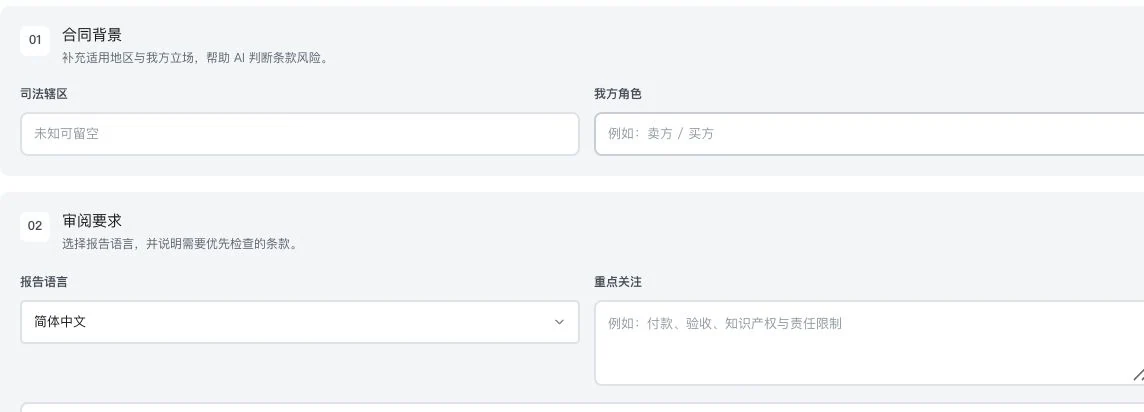
Private filenames, body text, and results were cropped out. Only original settings are shown. No contract upload or analysis occurred. This is not a risk report, revision result, or legal advice.
Scenario · After a purchaser sends a contract
For example, the product page says 'customizable packaging,' while the customer contract specifies sampling, bulk delivery and payment milestones. Organize actual specifications and confirmed agreements first, then review the contract for your role, jurisdiction and priorities, connecting discussion points to the original.
This is a human-written scenario, not automatic synchronization between content and contracts. Readable text and available AI are required. Scans need text recognition first, long text follows available processing scope, and comments and revisions require human checking.
Explore every feature
7 features, with body text directly visible. Read real interfaces alongside process notes, or open individual feature pages for more detailed inputs, outputs and examples.
LDG-061
Let different content formats reuse the same confirmed product information.
The interface catalogue includes 13 scenarios such as WeChat Official Accounts, Xiaohongshu, overseas social media, email, video scripts, SEO, product listings and exhibition invitations. Enter product facts and references, then generate under backend availability. Not every listed scenario is callable.
Choose an article, email, social, video, or export-business scenario.
Enter product facts, audience, and reference materials.
View an editable draft and verify specifications, numbers, and commitments individually.
The directory contains 13 scenario types. Actual calls depend on backend availability, models, and entitlements. Generation does not mean publication.
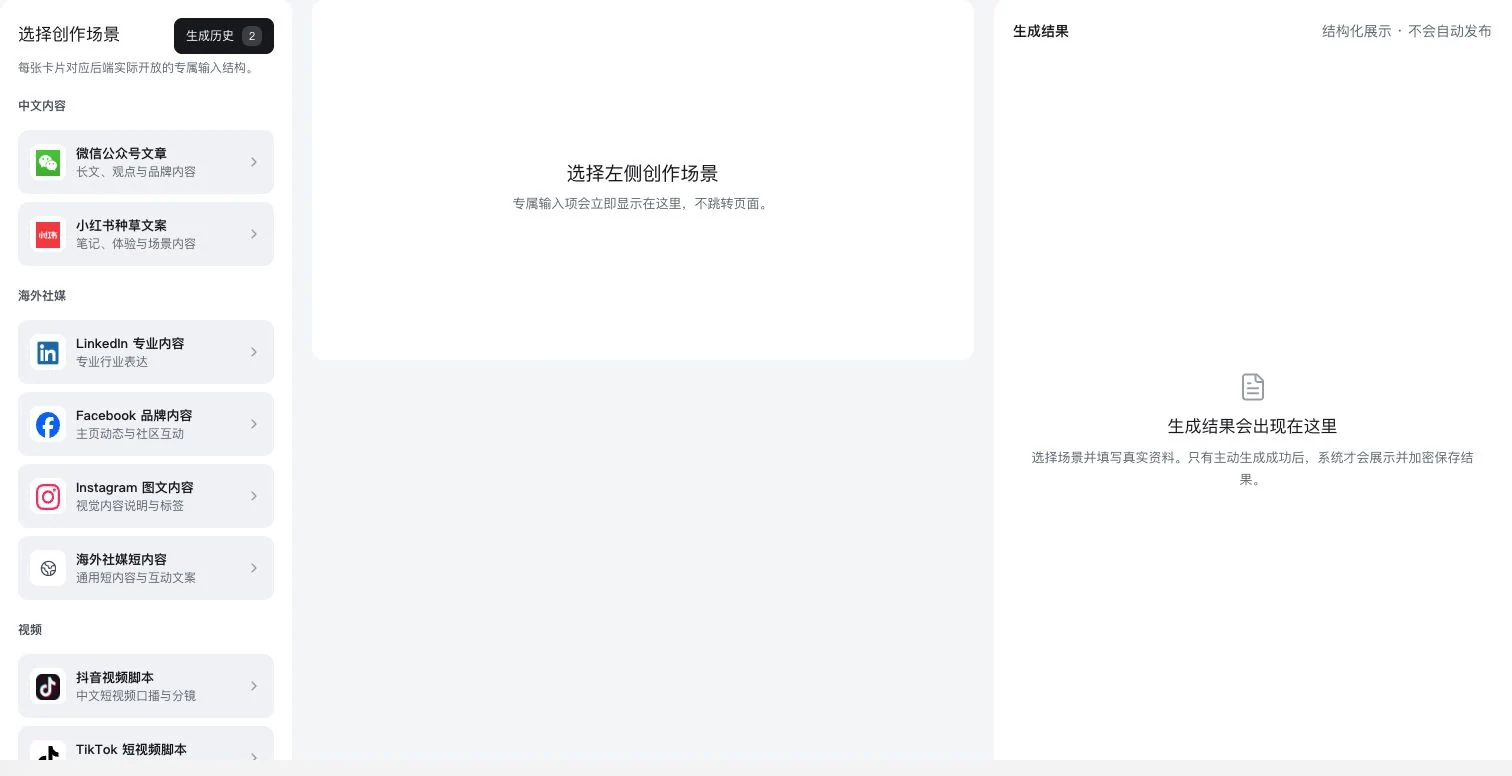
Visible crop of the real 13-scenario directory. No scenario selected; results are empty. Generation-history entry and saving explanations are visible, but no AI call, generation, saving, or publication occurred.
Only the Official Account scenario was selected. Product, audience, and content direction remain blank. History entry and saving explanations are visible; no AI call, generation, saving, or publication occurred.
Original dedicated form with product and publishing direction blank; no result generated. No AI call, saving, publication, or LinkedIn account connection occurred.
Only the TikTok script scenario was selected. Product, duration, and filming setup remain blank. No AI call, generation, saving, or video publication occurred. Finished-video quality is not implied.
LDG-062
Keep preparation, saving, and actual publication clearly connected.
View, copy, save drafts encrypted and reopen them. Growth projects can also export ZIP files. The distribution directory has 52 official links: 22 domestic and 30 overseas. Sign in and publish yourself; these are not 52 automatic publishing APIs.
View generated content, then copy it or save it encrypted.
Reopen drafts to continue. Export project results through the relevant entry point.
Choose an official platform link, log in yourself, and publish verified content.
The 52 entry points are a link directory, not automatic publishing APIs. Users confirm content rights and publication.
Visible crop of the real 13-scenario directory. No scenario selected; results are empty. Generation-history entry and saving explanations are visible, but no AI call, generation, saving, or publication occurred.
Only the Official Account scenario was selected. Product, audience, and content direction remain blank. History entry and saving explanations are visible; no AI call, generation, saving, or publication occurred.
Original dedicated form with product and publishing direction blank; no result generated. No AI call, saving, publication, or LinkedIn account connection occurred.
Only the TikTok script scenario was selected. Product, duration, and filming setup remain blank. No AI call, generation, saving, or video publication occurred. Finished-video quality is not implied.
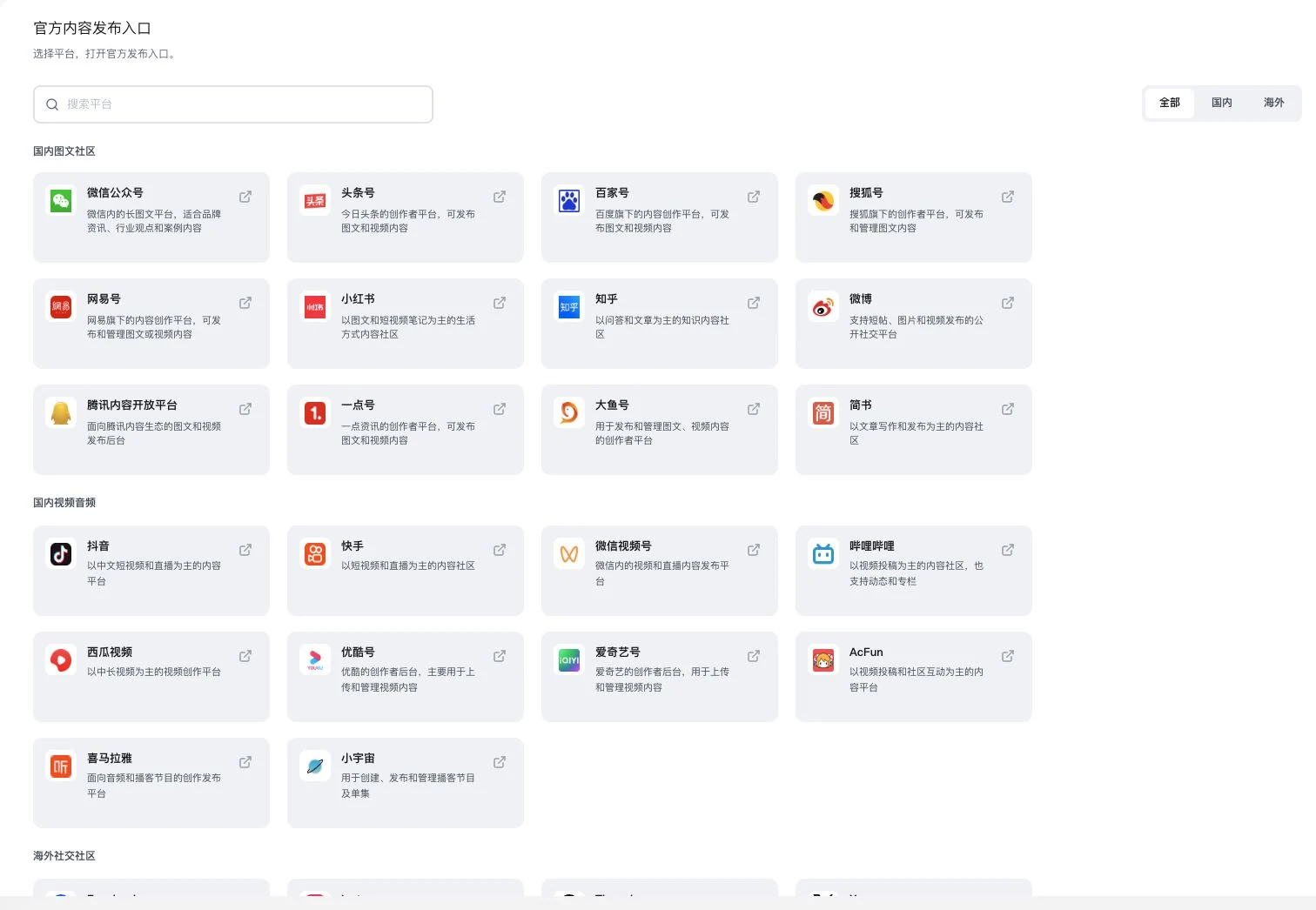
All filters are selected; the crop shows the domestic directory. 52 is the full official-link directory count, not automatic publishing APIs. No navigation, login, or publication occurred.
Only the international directory was selected. 52 is the complete domestic-plus-international total. No navigation or publication occurred. Users log in themselves and follow actual platform rules. Platform partnerships are not implied.
LDG-063
Connect topic selection, production, quality, and performance observation in one project.
Proceed through 7 workflow pages: information, site evidence, data, topics, production, quality and publication, and review. Keep keywords, per-article tasks, sources, reviews, versions and publication evidence. AI and data configuration are required. Indexing and rankings are not guaranteed.
Prepare product information, site evidence, and authorized data.
Organize keywords and article tasks, then generate and review articles with sources.
Keep versions, publication evidence, and review records before planning the next round.
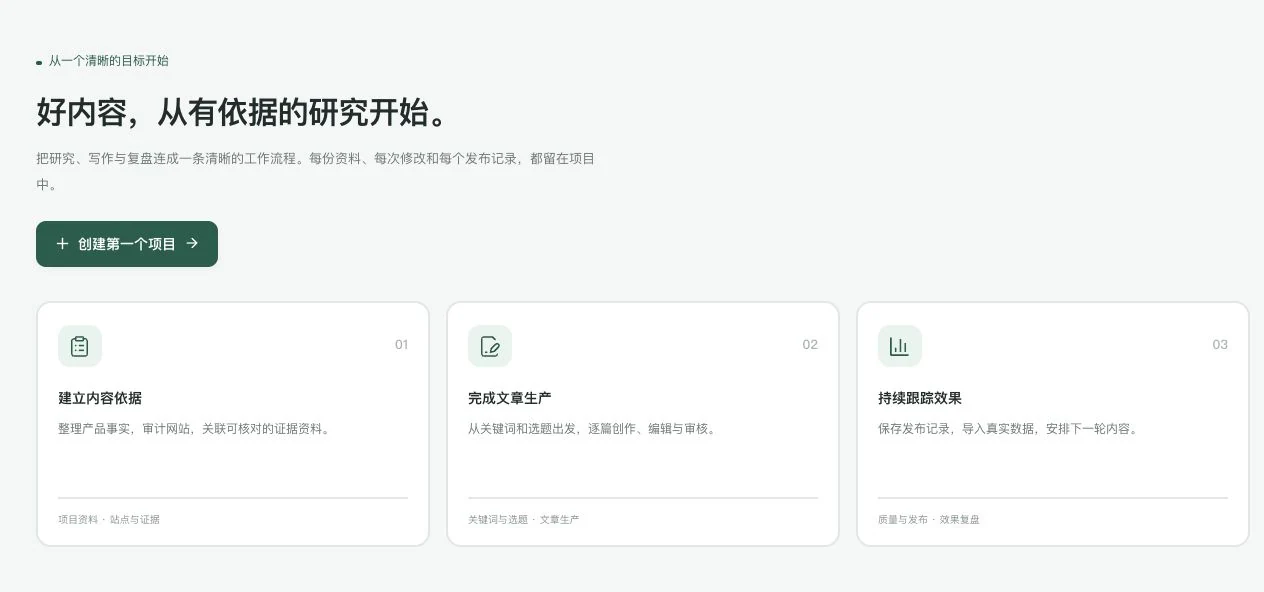
Currently 0 projects. The screen is the original workspace introduction. No project creation or article production occurred. Search or AI indexing, rankings, and traffic performance are not established.
Name is blank, creation button disabled, and no project created or executed. The top shows original service links and current account status, not delivery counts or performance advertising data.
Requires actual AI and data configuration. Search indexing, rankings, and citations are determined by platforms.
LDG-064
Move advertising discussions from goals and data to a testable experiment plan.
8 workflow pages cover information, business goals, data, insights, strategy, creative, budget experiments and execution review. Compare order costs, audiences, assets and stop conditions. Without historical data, only estimates are made; advertising is not launched automatically.
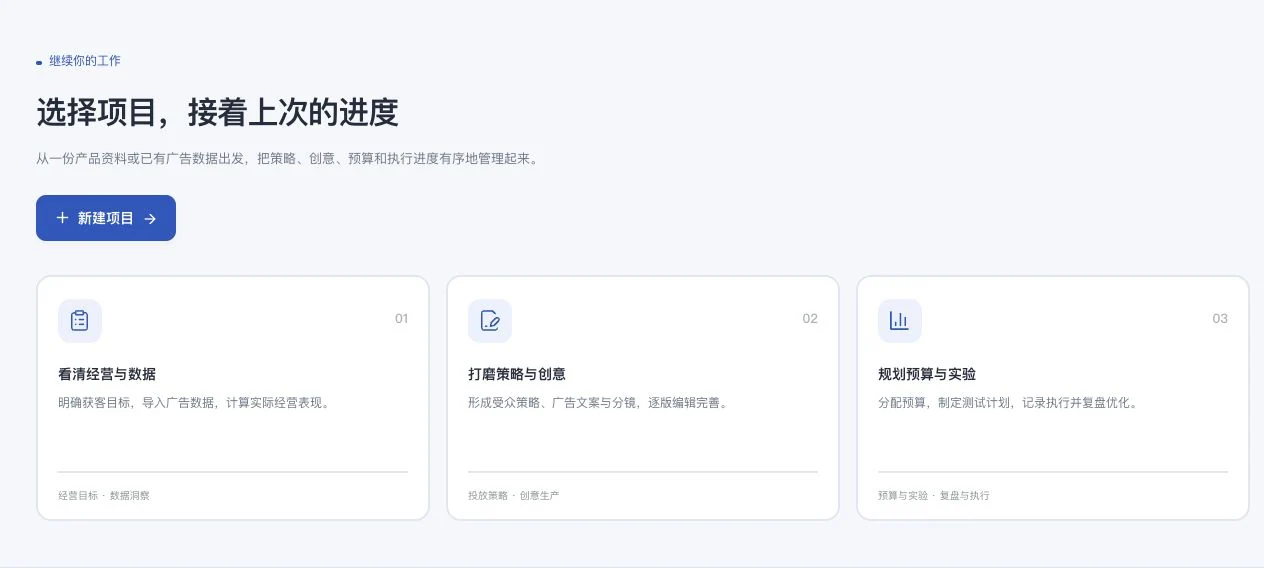
Project names and actual information were cropped out; only the general introduction is shown. No new project, data analysis, creative generation, or ad placement occurred. Ad performance is not implied.
Organize business goals, order costs, and available historical data.
Prepare audience hypotheses, strategy, material direction, and creative concepts.
Record budgets, experiment metrics, and stop criteria, then review.
Without historical data, calculations are estimates only. Audience capabilities require account verification. This feature does not automatically run ads.
LDG-065
Give data a clear source and authorization scope.
Connect Meta, Search Console or SerpApi, verify permissions, and view synchronization, retries, cancellation and source records. Read only your authorized data. Platform approval, quotas and actual connectivity still require validation.
Connect Meta, Search Console, or SerpApi through the actually available entry points.
Verify your own authorization, scope, and synchronization.
View retries, cancellations, and source records to continue checking data.
Only authorized data can be read. Platform approval, quotas, and actual connectivity still require operational acceptance.
Connect Meta, Search Console, or SerpApi through the actually available entry points.
Verify your own authorization, scope, and synchronization.
View retries, cancellations, and source records to continue checking data.
This feature retains instructions and usage conditions but does not yet show actual business results.
LDG-066
Discuss product business data and search observations in the same context.
Import your own product CSV and view business results in a common currency. Separately observe actual keyword rankings and sources. This is not competitor sales data and does not guarantee search exposure. Connections and information need validation.
Prepare and import your own product CSV.
Check currency and the definitions of business metrics.
Observe your own performance using actual keyword rankings and sources.
This is not competitor sales data. Connections and information require acceptance, and visibility is not guaranteed.
Prepare and import your own product CSV.
Check currency and the definitions of business metrics.
Observe your own performance using actual keyword rankings and sources.
This feature retains instructions and usage conditions but does not yet show actual business results.
LDG-067
Keep a reviewable analysis process for larger sets of advertising objects.
Standardize currency, time zone, conversion and attribution definitions. Analyze objects and dates in batches from a fixed snapshot. View tasks, stop or resume failed batches, and export JSON. Actual accounts, data and models still await operational validation.
Align currency, time zone, conversion, and attribution definitions.
Fix a snapshot and analyze in batches by object and date.
View task status, resume failed batches, and export JSON.
Align currency, time zone, conversion, and attribution definitions.
Fix a snapshot and analyze in batches by object and date.
View task status, resume failed batches, and export JSON.
This feature retains instructions and usage conditions but does not yet show actual business results.
Requires actual accounts, data, and models. Business connectivity still requires operational acceptance. Analysis does not guarantee advertising performance.
Understand before use
13 is the number of content scenarios. Outputs are drafts for review; users continue with publication and advertising. Data access requires authorization and provider conditions. Indexing, rankings and advertising results are not guaranteed.
This catalogue explains existing features and their conditions. Availability depends on the release, account permissions, service configuration and completed validation. Some items are internal-only or still await operational validation.
Other work to explore too
From the source to your next relevant step.
Explore this product