One record or a batch. A clear scope.
Confirm whether you are viewing one record or a batch.
See the actual stepsUnlock individual or batch information
Keep a clear scope and usage record for information access.
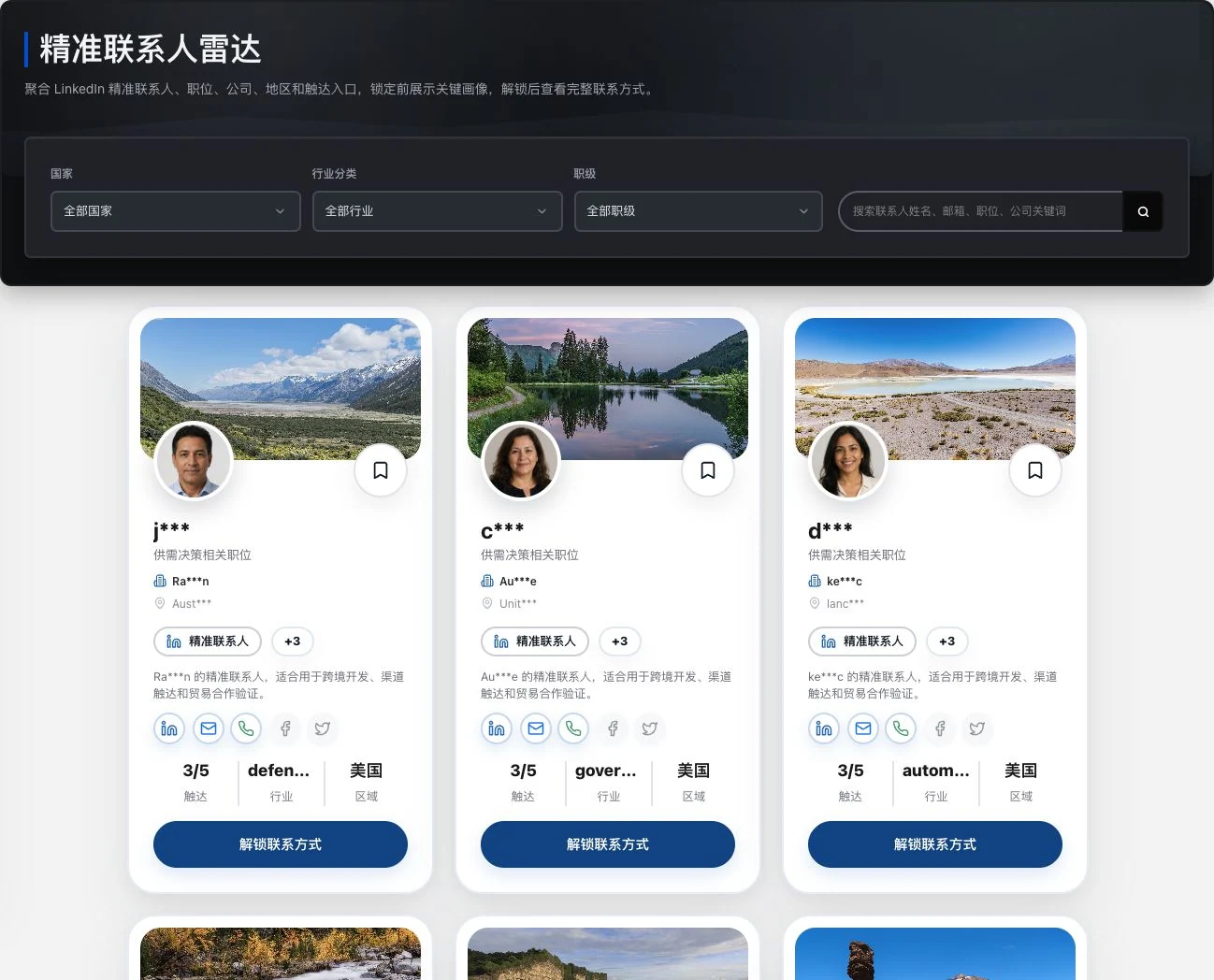
Real locked preview with identity and contact fields retaining original masking. No favorite or unlock action occurred. Images and role labels do not prove buying authority, contact intent, or LinkedIn partnership.
Keep a clear scope and usage record for information access.
Single-record and batch viewing are directory options. Points, settlement, and entitlements follow actual availability and operational acceptance.
See this feature's highlights.
Confirm whether you are viewing one record or a batch.
See the actual stepsCheck account benefits and required lead credits.
See the actual stepsView records under actual access rules and review usage afterward.
See how to checkUnderstand the tool and human handling separately
Keep a clear scope and usage record for information access.
Check account benefits and required lead credits.
This compares feature handling scopes. Scenarios explain the sequence, not measured efficiency or completed customer cases.
Explain the feature through real work
Suppose a user only needs to verify one company's contact information.
Hypothetical scenario · Feature explanation, not a customer case or completed AI resultExplore the real interface further
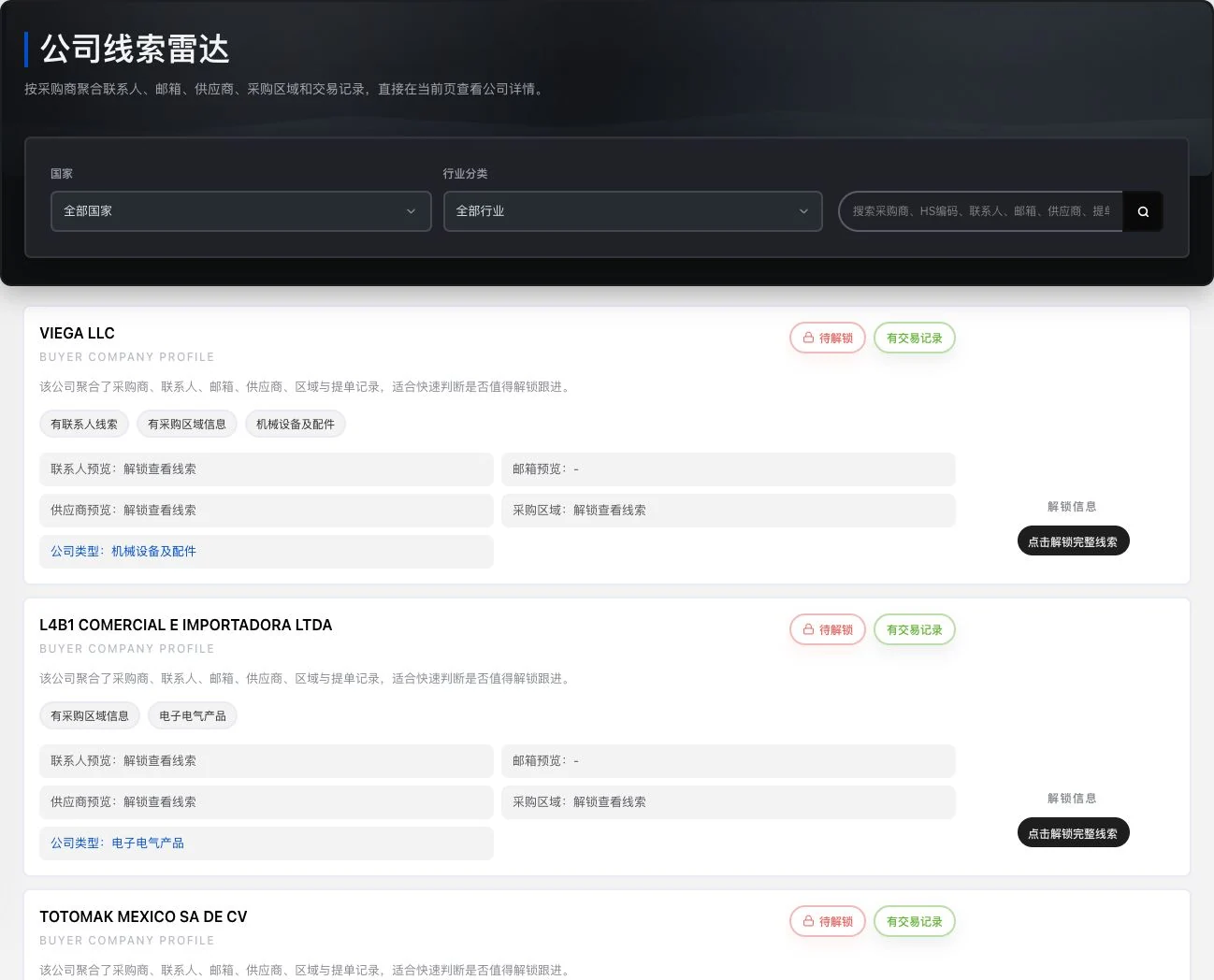
Current company preview. Contacts, emails, and trade details still require unlocking. No unlock occurred. Existing-record labels do not prove current buying needs, customer relationships, or closed sales.
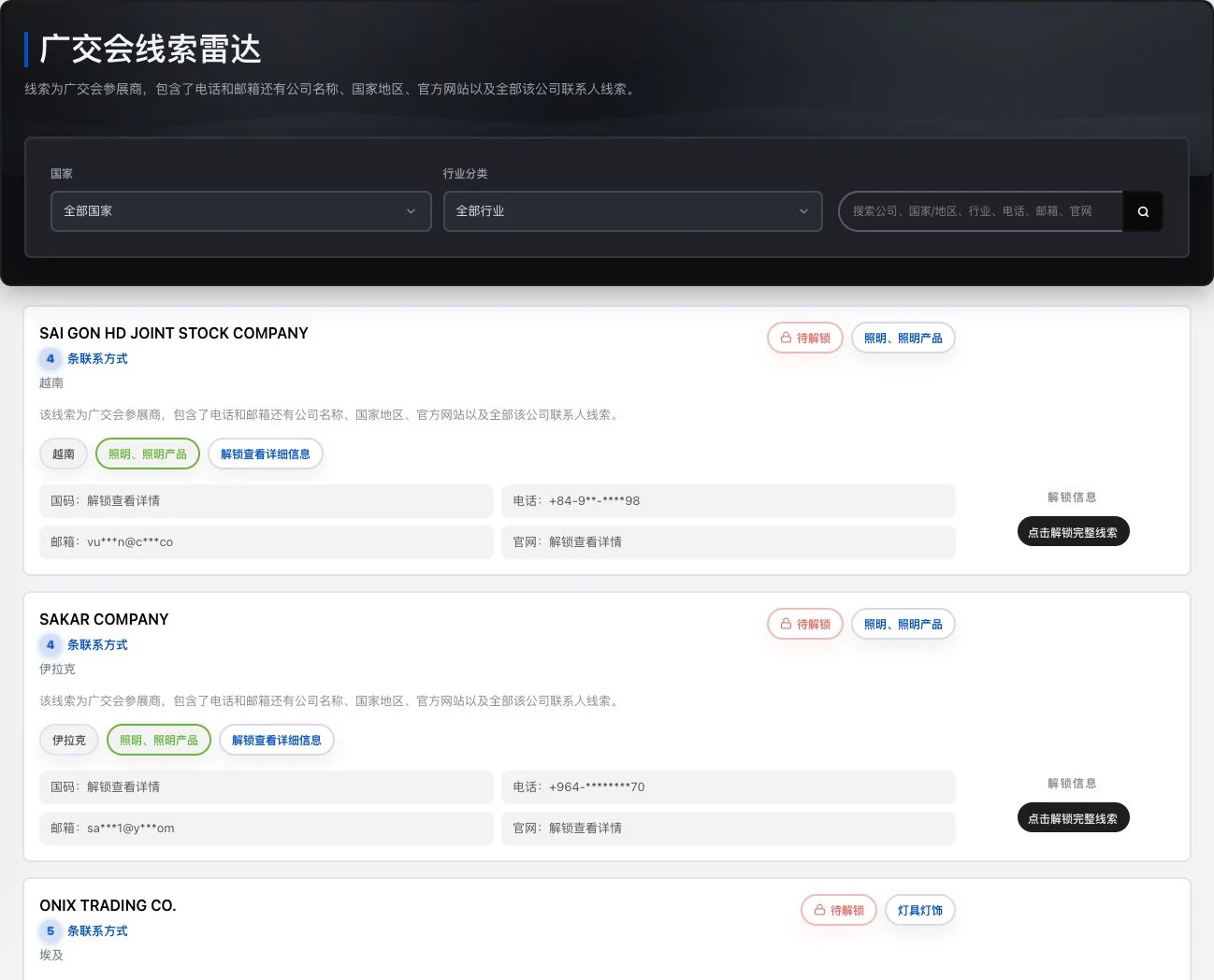
Loaded original-database company preview. Phone, email, and details remain masked and locked. The directory name does not establish official trade-show authorization or a current exhibitor relationship.
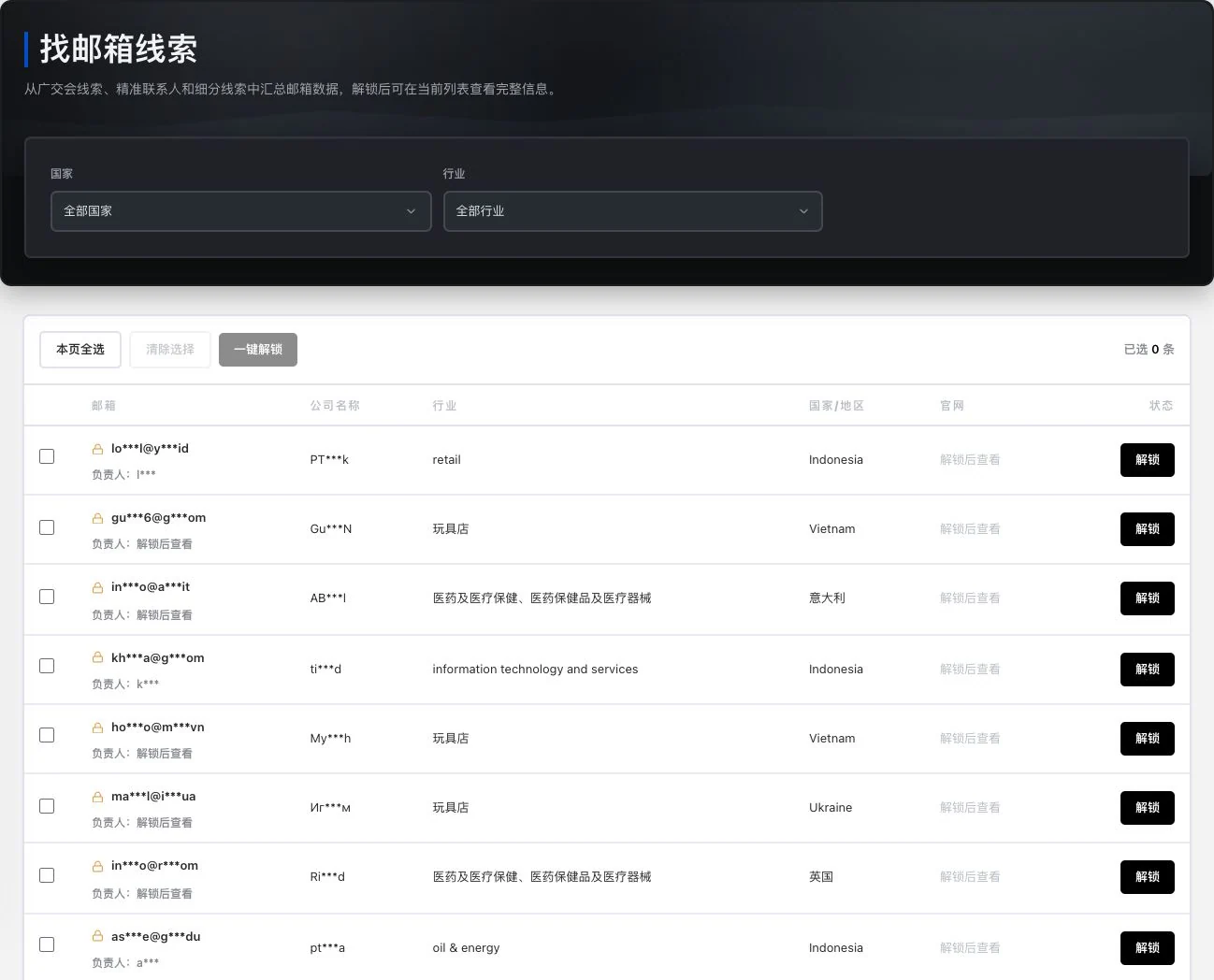
Real locked list with 0 selected records. No bulk unlock or email sending occurred. Public or unlockable information does not confer advertising-contact permission.
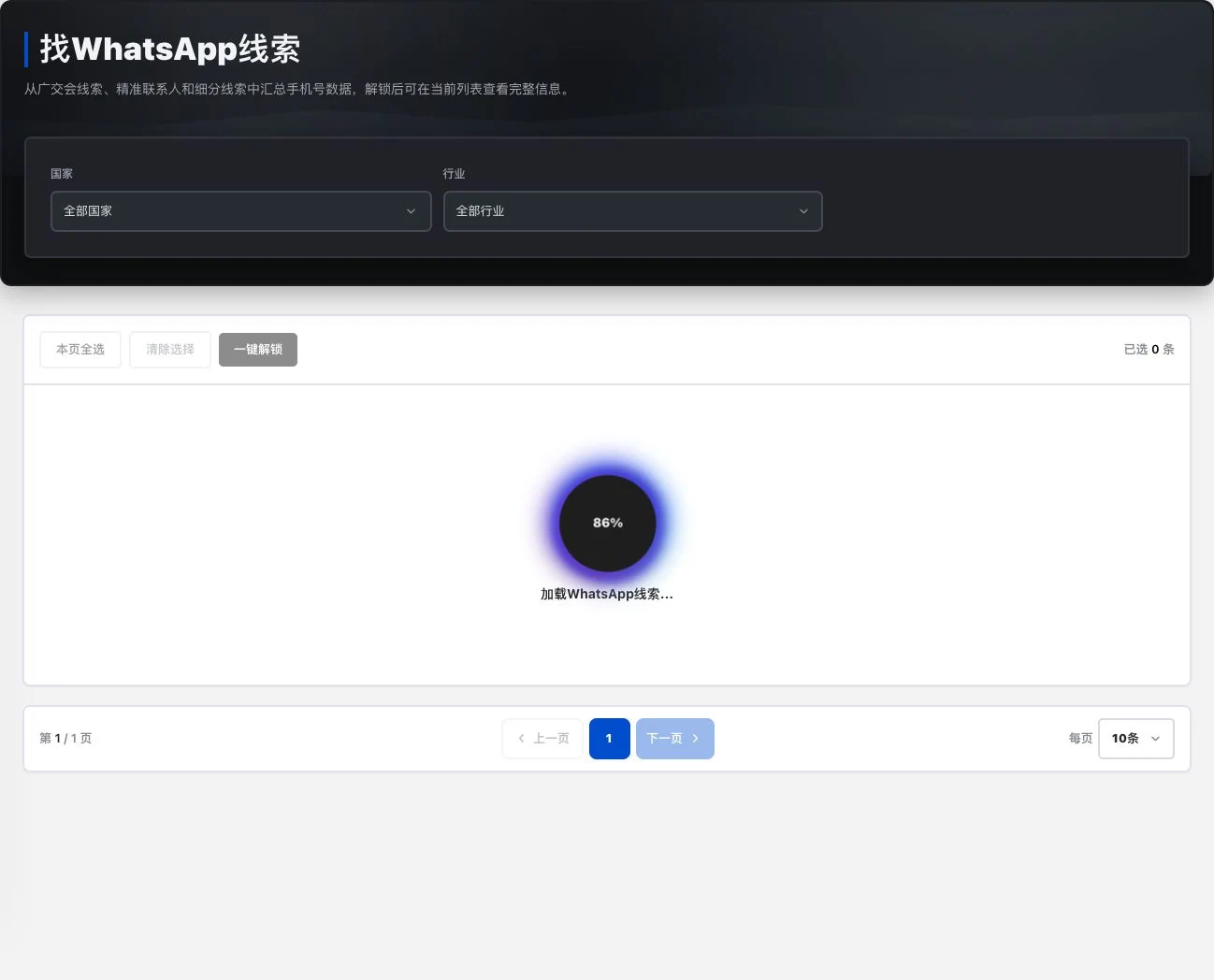
The list was still loading at 86% during capture. No entries selected, information unlocked, or WhatsApp connection made. Loaded numbers, reachability, or contact permission are not established.
When to use it
Before viewing one record or a batch, confirm the scope and current account rules.
the individual or batch records you want to view.
available account benefits, lead credits and current access rules.
Complete steps
View individual or batch information under account rules and check lead-credit records. Dual-wallet release migration and actual entitlements still require validation.
Confirm whether you are viewing one record or a batch.
Check account benefits and required lead credits.
View records under actual access rules and review usage afterward.
Connect the work from step to step
After viewing records, check the scope in usage history. Final benefits and settlement follow current acceptance status and page rules.
Return to Xunqi and CRM customer management for the complete workflowUnderstand before use
This item awaits operational acceptance. Dual-wallet migration, settlement and final benefits cannot be promised directly from the directory.
Product facts and FAQsBack to the product feature directoryMore details in this product
Build the day's schedule on recorded business and reduce context switching.
Explore this feature on its own