Skip to content
Lingdonggu
中/ENGet startedStarting guide
Explore all products

CRM customers and follow-up

Explore this product
Filter company informationCompany contactsCountries, cities and categoriesExhibition company informationEmail and phone leadsWeChat groups, cargo listings and trade leadsFavorites and list importsUnlock individual or batch informationCustomer business overviewCustomer records and contact identitiesCustomer timelineConversation organization and human confirmationCustomer analysis and work queuesOpportunity stage recordsFollow-up tasks and reminder rulesTeams and customer assignmentCustomer information preview and importDuplicate customer checks and mergingBring default customer details into documentsSales reports and exportFile emails and chats under customers

Use & services

Scenarios & getting started

Connect a real task to the next step.

Usage & costs

Account access, service setup and actual costs.

Product facts & FAQ

Verified features, sources and usage conditions.

Trade insights

All articles & insights

Original guides and public information with sources.

Customer outreachQuotations & documentsTrade policyRSS updates

Company & community

About Lingdonggu

Our product approach, brand and team.

Public welfare

Check public records and prepare a sharing poster.

Website & sources

Sources, illustrations and editorial notes.

HomeExplore all products
CRM customers and follow-upExplore this productFilter company informationCompany contactsCountries, cities and categoriesExhibition company informationEmail and phone leadsWeChat groups, cargo listings and trade leadsFavorites and list importsUnlock individual or batch informationCustomer business overviewCustomer records and contact identitiesCustomer timelineConversation organization and human confirmationCustomer analysis and work queuesOpportunity stage recordsFollow-up tasks and reminder rulesTeams and customer assignmentCustomer information preview and importDuplicate customer checks and mergingBring default customer details into documentsSales reports and exportFile emails and chats under customers
Email and WhatsAppExplore this productYour own receiving and sending accountsOutreach templates and draftsInbox, reading assistance and repliesPre-send checkReview unfamiliar company listsSending queues and exceptionsPause, resume and cancel tasksUnsubscribe and bounce handlingConnection routes and conditionsAuthorized login and network connectionConversations, templates, media and archivesTranslation, analysis and reply draftsWeb translation and reply checks
Quotations and documentsExplore this productDelivery-term cost calculationPayment terms and financing costsExchange-rate lookup and conversionProduct classifications and tariff sourcesQuotation and internal costsCommercial invoicePurchase orderPacking listBooking requestBill-of-lading draftShipping noticeCustoms information draftCredit and adjustment noticeSales receiptQuick invoices and packing listsScan effects and watermarks
Loading, packaging, and inspectionExplore this productContainer loading estimatesPallet stacking estimatesMoisture-control material quantitiesCarton counts and volumeLetter-of-credit checklistSampling inspection reference
Content and promotionExplore this product13 content draft scenariosDraft saving and official publishing linksSearch-content projectsFacebook advertising plansAuthorized advertising and search data accessProduct performance and search visibilityBatch advertising data analysis
Trade insights and learningExplore this productBusiness information overviewArticle highlights and source checksCountry and regional informationProduct and trade topicsMarket holidays and follow-up calendarCourses, articles and software materialSummaries of published articles
Contract review and verificationExplore this productContract library and risk location in original textHuman contract review and revisionRisk reports and passage translation
Accounts and teamsExplore this productRegistration, login and account detailsSubmit identity and company informationAI and lead usage recordsAI credit consumption and return recordsOrder, payment and refund recordsPurchase invoice requestsCheck-ins, growth and entitlementsSupport tickets and instructions
More ways to workExplore this productPublic welfare and family-search postersComplete feature catalogue

Use & services

Scenarios & getting startedUsage & costsProduct facts & FAQ

Trade insights

All articles & insightsCustomer outreachQuotations & documentsTrade policyRSS updates

Company & community

About LingdongguPublic welfareWebsite & sources
Courses, articles and software material
How to use itComparisonUsage conditions
View the parent product
Lingdonggu/Trade information and learning/Courses, articles and software material

Courses, articles and software material

What you need to know.A place to keep exploring.

Organize learning and practical resources by task.
LDG-071Implemented; configuration required
See how to use it
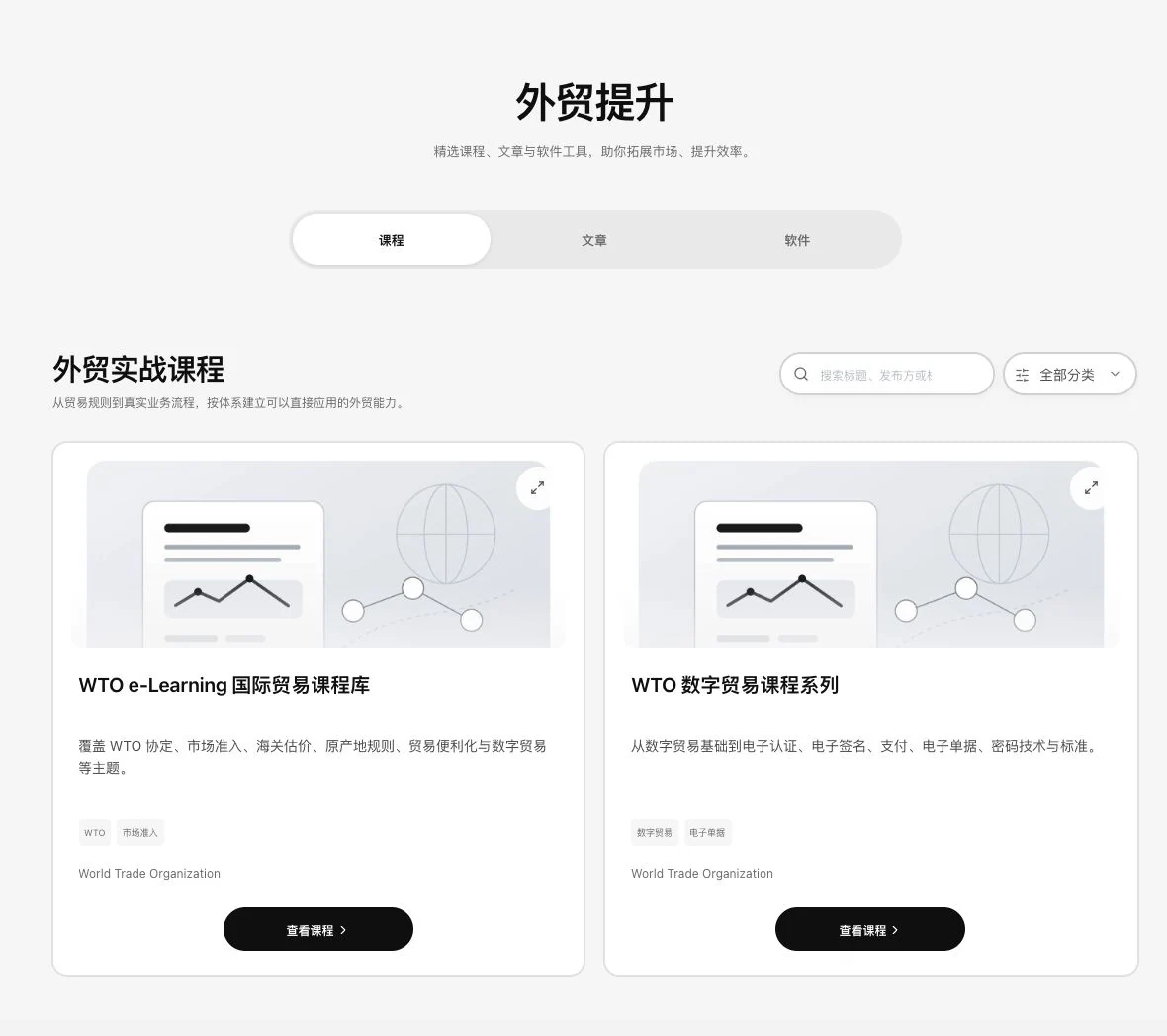
Lingdonggu trade-development course list with WTO course sources and course links
Trade-course directory· Real system screenshot

Real public course directory and source links. No course was opened or learning certification obtained. Content, access, and use follow the publishing institution’s requirements.

See this feature's highlights.

real work.
Details worth exploring.

Find courses for your needs.

Choose the current course, article, or software-resource directory.

See the actual steps

Keep reading original articles.

View sources, versions, platforms, and access requirements.

See the actual steps

Check software-resource versions and requirements.

Continue reading or obtaining materials through permitted entry points.

See how to check

Before you begin, get prepared.

Task context: the specific issue you need to learn about or handle.

See application scenarios

Use it for this specific task.

When learning about foreign trade or finding practical material, choose courses, articles or software resources for the current task.

See application scenarios

Finish this step. Continue to the next.

Use learning material for your actual issue and save or share it according to source permissions.

See application scenarios

Find courses for your needs.
Keep reading original articles.

Organize learning and practical resources by task.

This feature's focus3

learning-resource directory types

Source: courses, articles, and software. Counts change with publication; access and use follow each item’s description and permissions.

Explore the real interface further
A closer look at details.
The work, opened up.

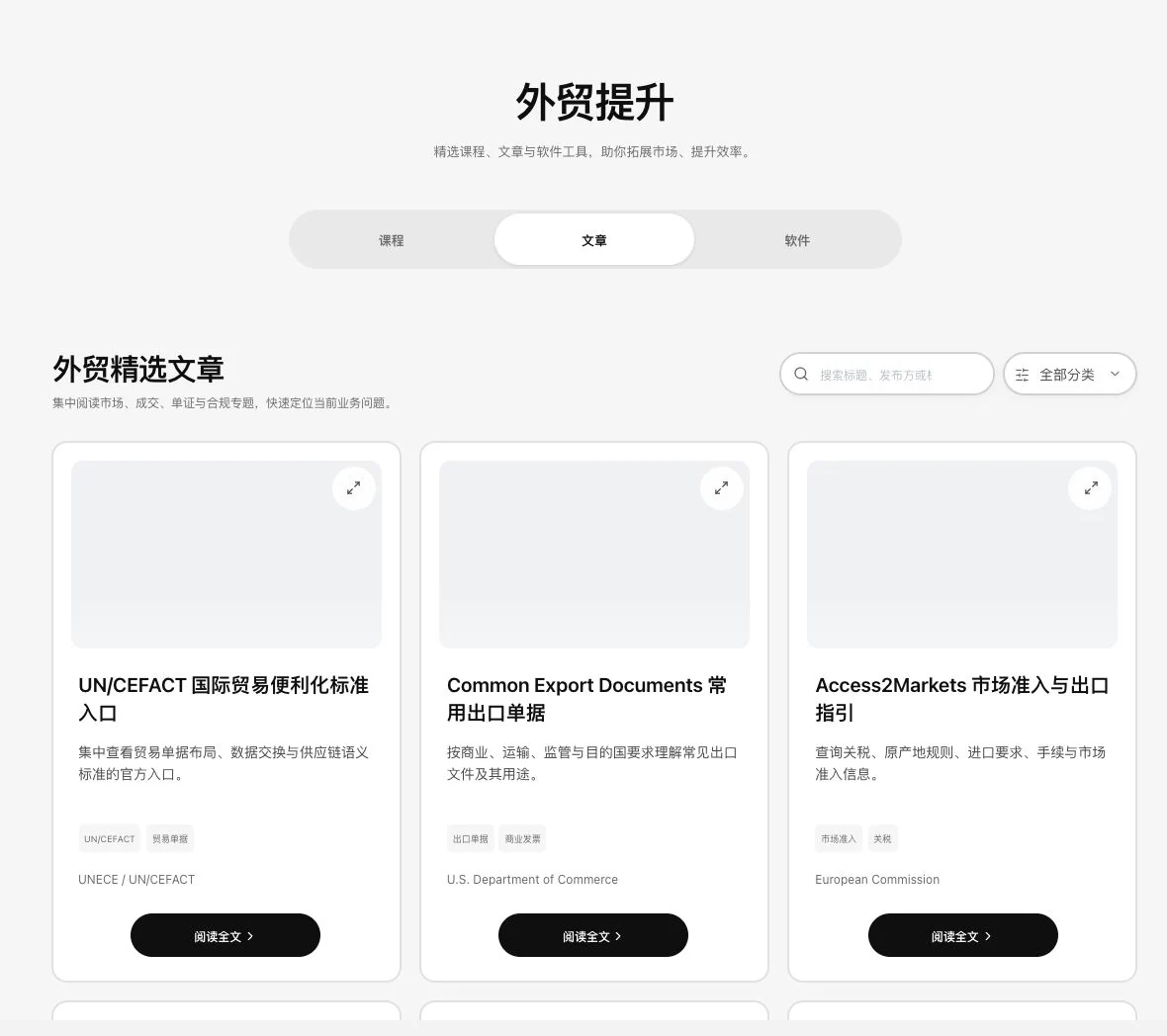
Lingdonggu trade-learning article directory showing sources on trade facilitation, export documents, and market access
Trade-learning article directory· Real system screenshot

Only published public articles and their source directory are shown. No body text opened or AI summary requested. Listing does not establish ownership of all content copyrights or source partnerships.
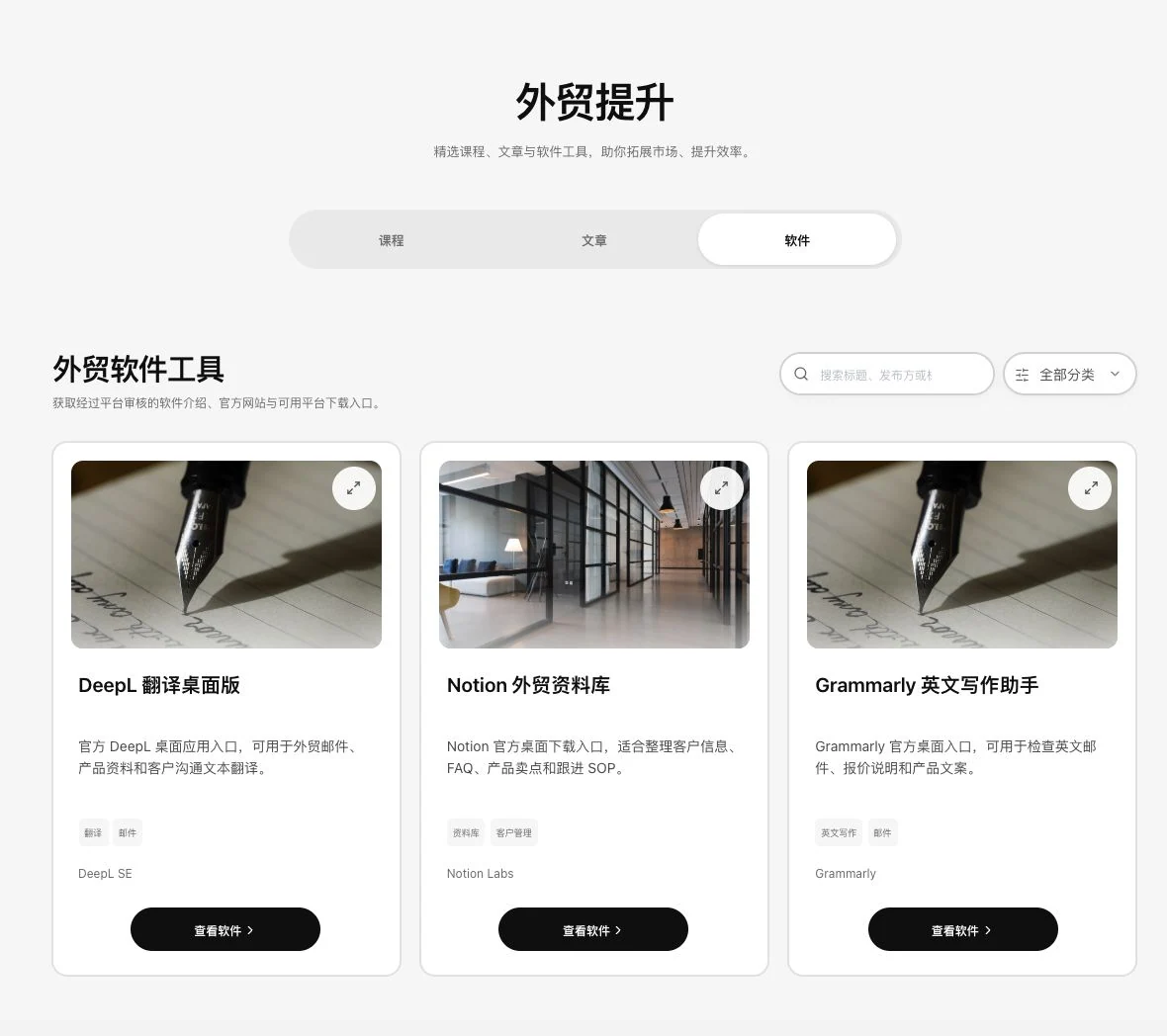
Lingdonggu trade-software directory with DeepL, Notion, and Grammarly descriptions and source links
Trade-software resource directory· Real system screenshot

Original public software directory. No third-party software downloaded, installed, or signed into. Check features, versions, and permissions against the relevant official pages.

Explain the feature through real work

This time.
Keep exploring.

Suppose you need to learn how to use a business tool.

Hypothetical scenario · Feature explanation, not a customer case or completed AI result
Previous handling steps

Download or redistribute material based only on the resource title.

With this feature

Check its version, platform and authorization before proceeding through a permitted link.

When to use it

Prepare first.
Make this task specific.

When learning about foreign trade or finding practical material, choose courses, articles or software resources for the current task.

01

Task context

the specific issue you need to learn about or handle.

02

Resource evidence

source, version, platform and access conditions.

Complete steps

From the start.
To the next step.

Find currently published material in 3 directories: courses, articles and software. View sources, versions or platforms and permitted access links. Counts change with actual publication. Listing a link does not establish ownership of all copyrights.

01

Choose the current course, article, or software-resource directory.

02

View sources, versions, platforms, and access requirements.

03

Continue reading or obtaining materials through permitted entry points.

Understand the tool and human handling separately

What the tool handles.
What you decide.

Feature assistance

Find courses for your needs.

Organize learning and practical resources by task.

View sources, versions, platforms, and access requirements.

Your review

3 key points.
After confirmation, continue.

  1. Resource counts change as content is published.
  2. A link does not mean you own all copyrights.
  3. Access and use follow each item's authorization and platform requirements.

This compares feature handling scopes. Scenarios explain the sequence, not measured efficiency or completed customer cases.

Connect the work from step to step

Make this step clear.
Connect the next step.

Use learning material for your actual issue and save or share it according to source permissions.

Return to Trade information and learning for the complete workflow

Understand before use

Bring the actual conditions.
Continue this step of the work.

Counts change with publication. Directory links do not imply ownership of all copyrights. Use follows each item’s license.

Product facts and FAQsBack to the product feature directory

More details in this product

Summaries of published articles

After a full read, keep organized content for future reference.

Explore this feature on its own
Business information overviewArticle highlights and source checksCountry and regional informationProduct and trade topicsMarket holidays and follow-up calendarSummaries of published articles
Lingdonggu

Keep work moving.
Keep business growing.

Products

Quotations & documentsCustomer CRMAI contract reviewAll products & features

Explore

Scenarios & getting startedUsage & costsAbout LingdongguPublic welfareProduct facts & FAQ

Trade insights

Latest articlesPractical guidesTrade policyRSS updates

Contact Lingdonggu

Xin Fang Xiang (Zaozhuang Shizhong District) Information Technology Co., Ltd.

English translation · Registered name: 新方向(枣庄市中区)信息科技有限公司

Phone155-2888-3210
QQ153666622
WeChatXFXLTD
EmailAiLDGcn@163.com
© 2026 Lingdonggu · Your trade workspace
Website & sources简体中文
ICP registration: 鲁ICP备2022020284号-9Public security registration: 鲁公网安备37040202006131号
Courses, articles and software material · Lingdonggu