Web pairs with your actual account.
Review the WhatsApp Web and ChatApp integration descriptions.
See the actual stepsConnection routes and conditions
Understand the usage conditions of each integration route separately.
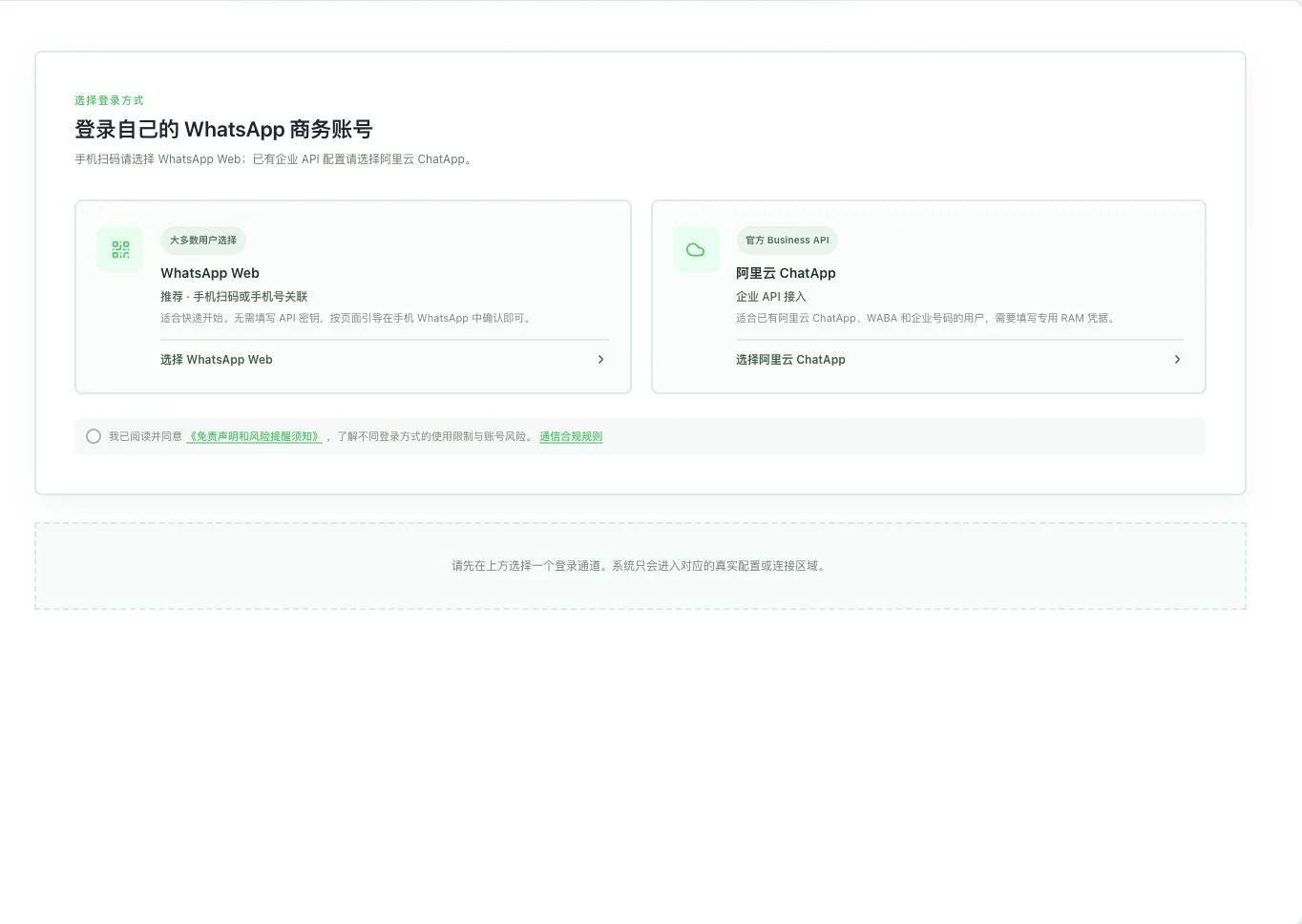
Only two routes are shown. No channel selection, rule agreement, scan, or connection occurred. Web uses unofficial automation; ChatApp requires the user’s business, number, and channel conditions.
See this feature's highlights.
Review the WhatsApp Web and ChatApp integration descriptions.
See the actual stepsConfirm your own business, number, templates and messaging-window conditions.
See the actual stepsPrepare account authorization and channel configuration for an available route.
See how to checkUnderstand the usage conditions of each integration route separately.
Source: WhatsApp Web and Alibaba Cloud ChatApp. Web uses unofficial automation. Actual channels still require acceptance.
When to use it
Before connecting your own WhatsApp, choose a route and check the account, business, number and channel rules.
actual availability of WhatsApp Web or Alibaba Cloud ChatApp.
your own account. ChatApp also requires business, number, template and channel-cost conditions.
Complete steps
View 2 routes: Web and Alibaba Cloud ChatApp. Web uses unofficial automation. ChatApp requires your business and number and is subject to templates, the 24-hour window and channel fees.
Review the WhatsApp Web and ChatApp integration descriptions.
Confirm your own business, number, templates and messaging-window conditions.
Prepare account authorization and channel configuration for an available route.
2 routes. Understand each one.
The route determines authorization, template capabilities and message-processing conditions. The following describes tools and rules present in the source code. Real-account connectivity, sending and receiving still require acceptance.
Pair your own account through the actual process, then review conversations and history.
Prepare your business and number, then handle messages under upstream authorization and channel rules.
Explain the feature through real work
Suppose you want to connect an existing account and understand conversation handling.
Hypothetical scenario · Feature explanation, not a customer case or completed AI resultUnderstand the tool and human handling separately
Understand the usage conditions of each integration route separately.
Confirm your own business, number, templates and messaging-window conditions.
This compares feature handling scopes. Scenarios explain the sequence, not measured efficiency or completed customer cases.
Connect the work from step to step
Once the route and benefits are clear, authorize the account and test the network. Actual channel capabilities follow current availability and operational acceptance.
Return to Email and WhatsApp · Linbo for the complete workflowUnderstand before use
Web uses unofficial automation. ChatApp is subject to template rules, the 24-hour window and channel fees.
Product facts and FAQsBack to the product feature directoryMore details in this product
Give account connection and subsequent management clear tools.
Explore this feature on its own