Verify package and carton counts.
Check shipping and packaging information.
See the actual stepsPacking list
Provide packing details that logistics staff, recipients, and relevant business staff can verify together.
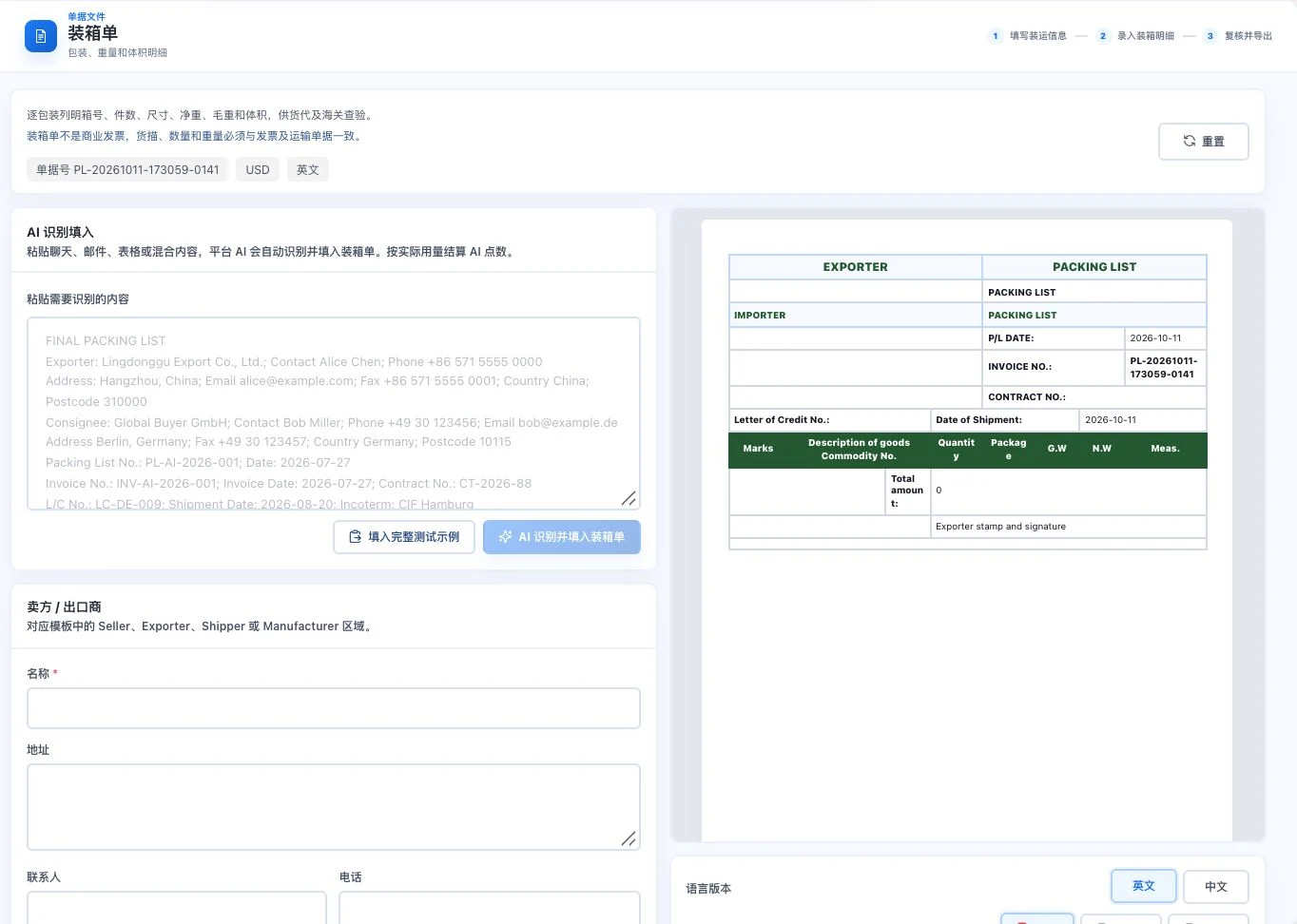
Original default blank form and preview with a total package count of 0. No AI call, full transaction entry, or export occurred. This is not an actual packing record.
See this feature's highlights.
Check shipping and packaging information.
See the actual stepsEnter package counts, carton counts, weight, and volume.
See the actual stepsReview the preview against actual packaging, then prepare the document.
See how to checkProvide packing details that logistics staff, recipients, and relevant business staff can verify together.
How the feature works. Actual results depend on information, permissions, and service requirements.
When to use it
Once packaging is defined, prepare packing details so logistics and receiving staff can check what is inside each carton.
actual carton counts, unit counts and goods details.
genuine weight, dimension and volume records.
Complete steps
Specify packaging, package counts, weight and volume to prepare a document for the relevant staff to check.
Check shipping and packaging information.
Enter package counts, carton counts, weight, and volume.
Review the preview against actual packaging, then prepare the document.
Understand the tool and human handling separately
Provide packing details that logistics staff, recipients, and relevant business staff can verify together.
Enter package counts, carton counts, weight, and volume.
This compares feature handling scopes. Scenarios explain the sequence, not measured efficiency or completed customer cases.
Explain the feature through real work
Suppose a packaging change increases the carton count.
Hypothetical scenario · Feature explanation, not a customer case or completed AI resultConnect the work from step to step
Hand over packing information with shipping documents. Actual loading still requires physical and safety checks.
Return to Quotations and trade documents for the complete workflowUnderstand before use
Weight, dimensions, and packaging must match the actual goods. Documents do not replace on-site inspection.
Product facts and FAQsBack to the product feature directoryMore details in this product
Organize booking-request information for further processing.
Explore this feature on its own