Cargo dimensions brought into the container.
Choose a container type and enter cargo dimensions, quantity, weight, and restrictions.
See the actual stepsContainer loading estimates
Give loading discussions a concrete picture while comparing the conditions that affect loading.
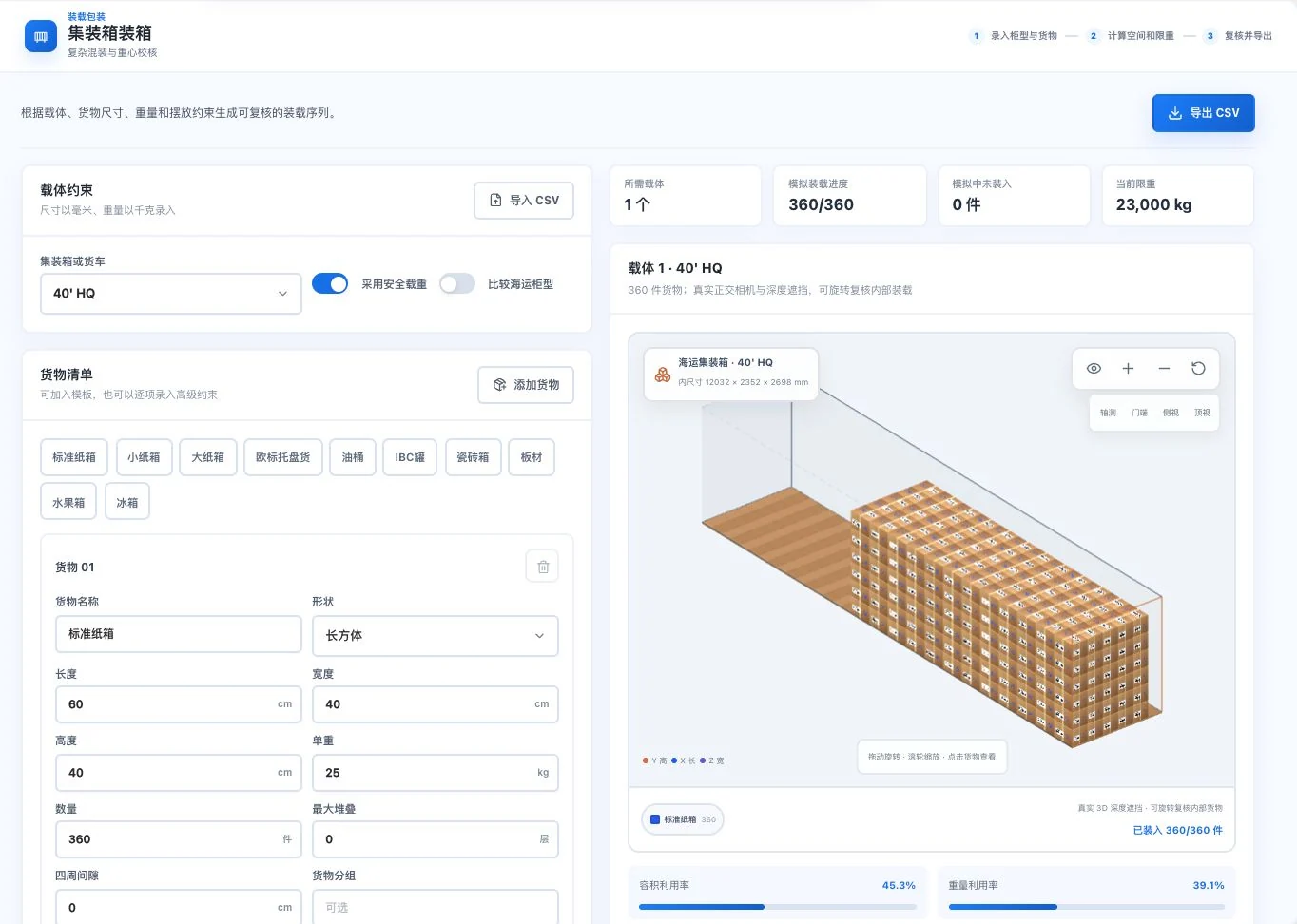
40' HQ, standard-carton dimensions, and 360 units are original default demo conditions. The screen is an input-driven simulation. No CSV export occurred; actual load capacity and safety require review.
See this feature's highlights.
Choose a container type and enter cargo dimensions, quantity, weight, and restrictions.
See the actual stepsView 3D placement, loading order, space, weight, and center-of-gravity references.
See the actual stepsReview and export CSV for further on-site checks.
See how to checkGive loading discussions a concrete picture while comparing the conditions that affect loading.
How the feature works. Actual results depend on information, permissions, and service requirements.
Explore the real interface further
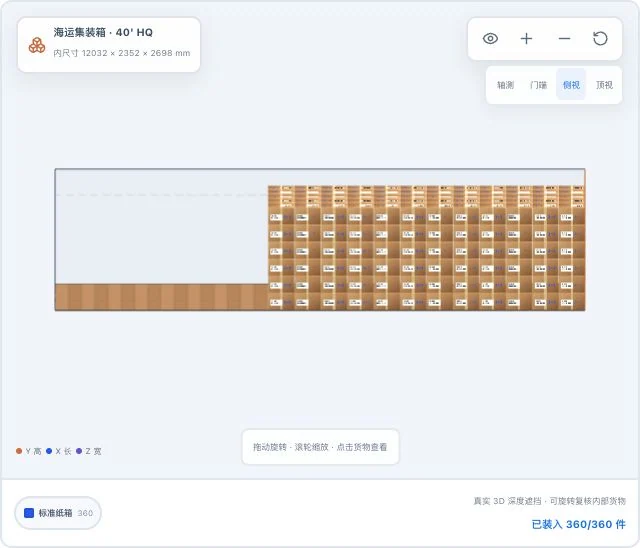
The same default demo cargo, with only the original 3D viewpoint changed. Simulated loaded quantities do not mean actual loading or safety acceptance is complete.
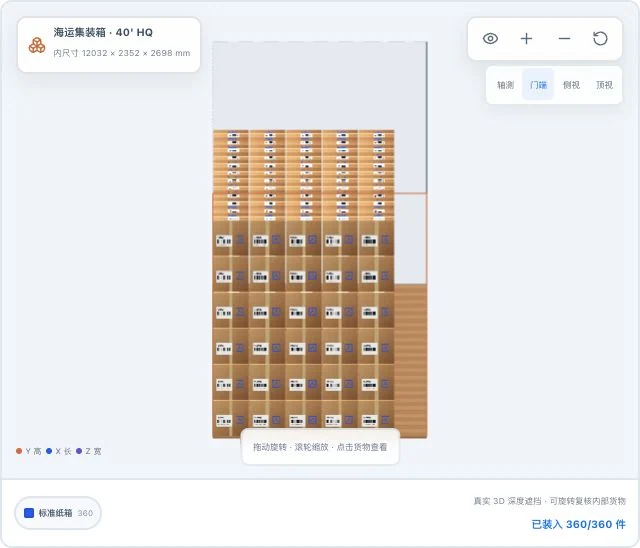
Original door-end view of the same default demo inputs. This simulation crop does not establish actual stacking strength, handling operations, or transport safety.
When to use it
Before discussing container placement and sequence, put actual cargo and container types under one set of calculation conditions.
dimensions, quantity, weight and actual restrictions.
type, usable dimensions and on-site load requirements.
Complete steps
Review 3D layouts, order, volume, weight and center-of-gravity references by cargo and container type. Export plans as CSV. Actual dimensions, load capacity and loading safety need review.
Choose a container type and enter cargo dimensions, quantity, weight, and restrictions.
View 3D placement, loading order, space, weight, and center-of-gravity references.
Review and export CSV for further on-site checks.
Understand the tool and human handling separately
Give loading discussions a concrete picture while comparing the conditions that affect loading.
View 3D placement, loading order, space, weight, and center-of-gravity references.
This compares feature handling scopes. Scenarios explain the sequence, not measured efficiency or completed customer cases.
Explain the feature through real work
Suppose a shipment includes two carton sizes.
Hypothetical scenario · Feature explanation, not a customer case or completed AI resultConnect the work from step to step
Prepare the on-site plan using review results. If dimensions or packaging change, update the inputs and calculate again.
Return to 3D loading and packaging for the complete workflowUnderstand before use
Calculations depend on inputs and models. Professionals must verify actual dimensions, load capacity, packaging, and safety.
Product facts and FAQsBack to the product feature directoryMore details in this product
Consider pallet dimensions and carton orientation together.
Explore this feature on its own