Company and role, together.
Review the contact's company, role and location.
See the actual stepsCompany contacts
Understand who works at the company before deciding whom to approach about this business.
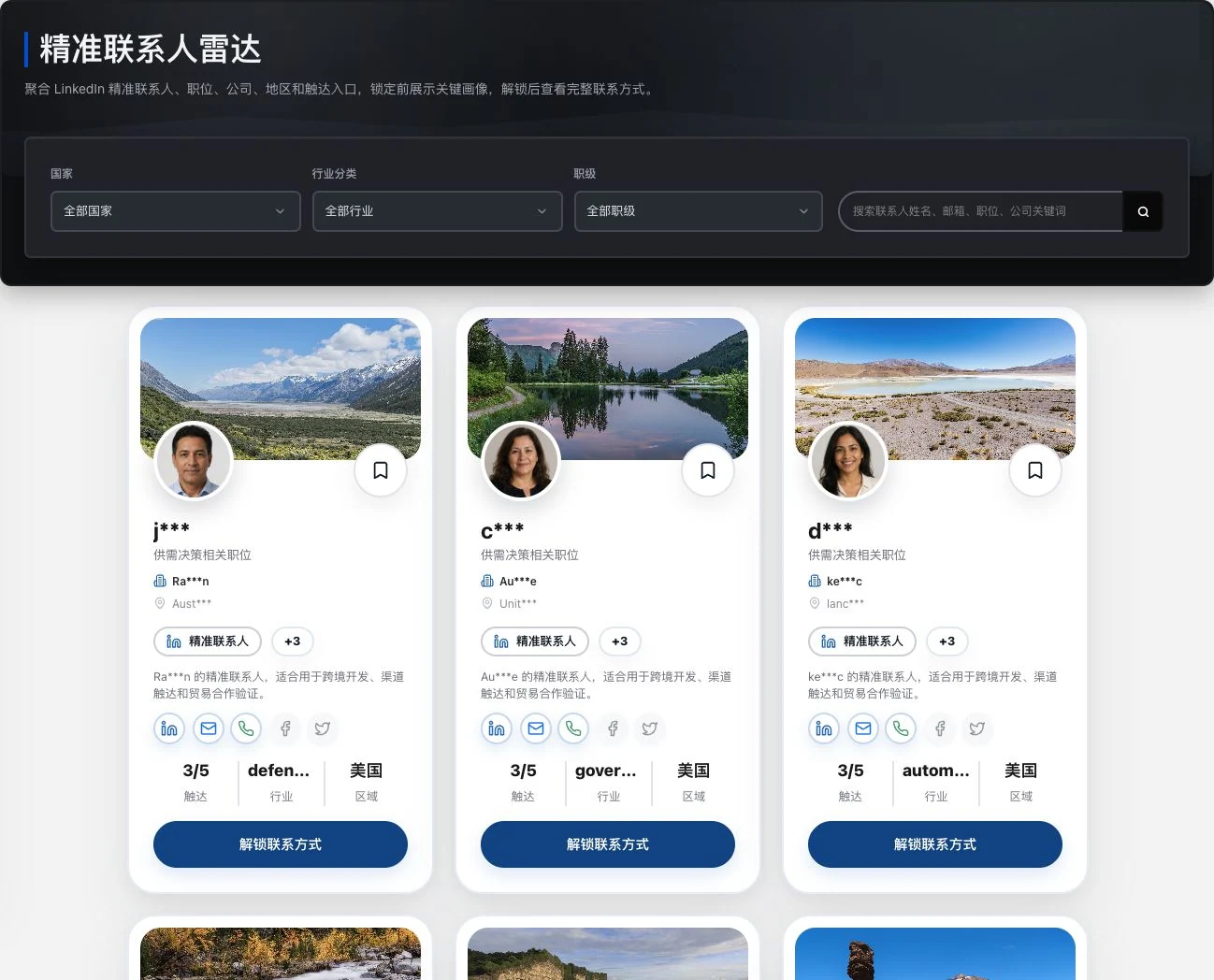
Real locked preview with identity and contact fields retaining original masking. No favorite or unlock action occurred. Images and role labels do not prove buying authority, contact intent, or LinkedIn partnership.
See this feature's highlights.
Review the contact's company, role and location.
See the actual stepsConfirm identity against existing contact details and company information.
See the actual stepsIdentify contacts for further verification, then prepare to communicate.
See how to checkUnderstand who works at the company before deciding whom to approach about this business.
How the feature works. Actual results depend on information, permissions, and service requirements.
When to use it
When you have found the target company but do not know whom to approach, start by verifying the contact's identity.
the contact's associated company, location and existing company information.
the position, contact details and LinkedIn fields in the current record.
Complete steps
View contact roles, companies, regions and existing contact details to decide whom to check next. LinkedIn fields do not imply official partnership, purchasing authority or willingness to be contacted.
Review the contact's company, role and location.
Confirm identity against existing contact details and company information.
Identify contacts for further verification, then prepare to communicate.
Explain the feature through real work
Suppose the same company has both a sales contact and a purchasing contact.
Hypothetical scenario · Feature explanation, not a customer case or completed AI resultUnderstand the tool and human handling separately
Understand who works at the company before deciding whom to approach about this business.
Confirm identity against existing contact details and company information.
This compares feature handling scopes. Scenarios explain the sequence, not measured efficiency or completed customer cases.
Connect the work from step to step
Before reaching out, check the basis for contact, product relevance and intended recipient.
Return to Xunqi and CRM customer management for the complete workflowUnderstand before use
Role and LinkedIn fields are information clues only. They do not establish purchasing authority or willingness to be contacted.
Product facts and FAQsBack to the product feature directoryMore details in this product
Turn a broad market idea into a search scope you can verify company by company.
Explore this feature on its own