Check shipping and receiving individually.
Check shipping, receiving, and relevant transport details.
See the actual stepsBill-of-lading draft
Specify bill-of-lading details for the relevant parties to confirm.
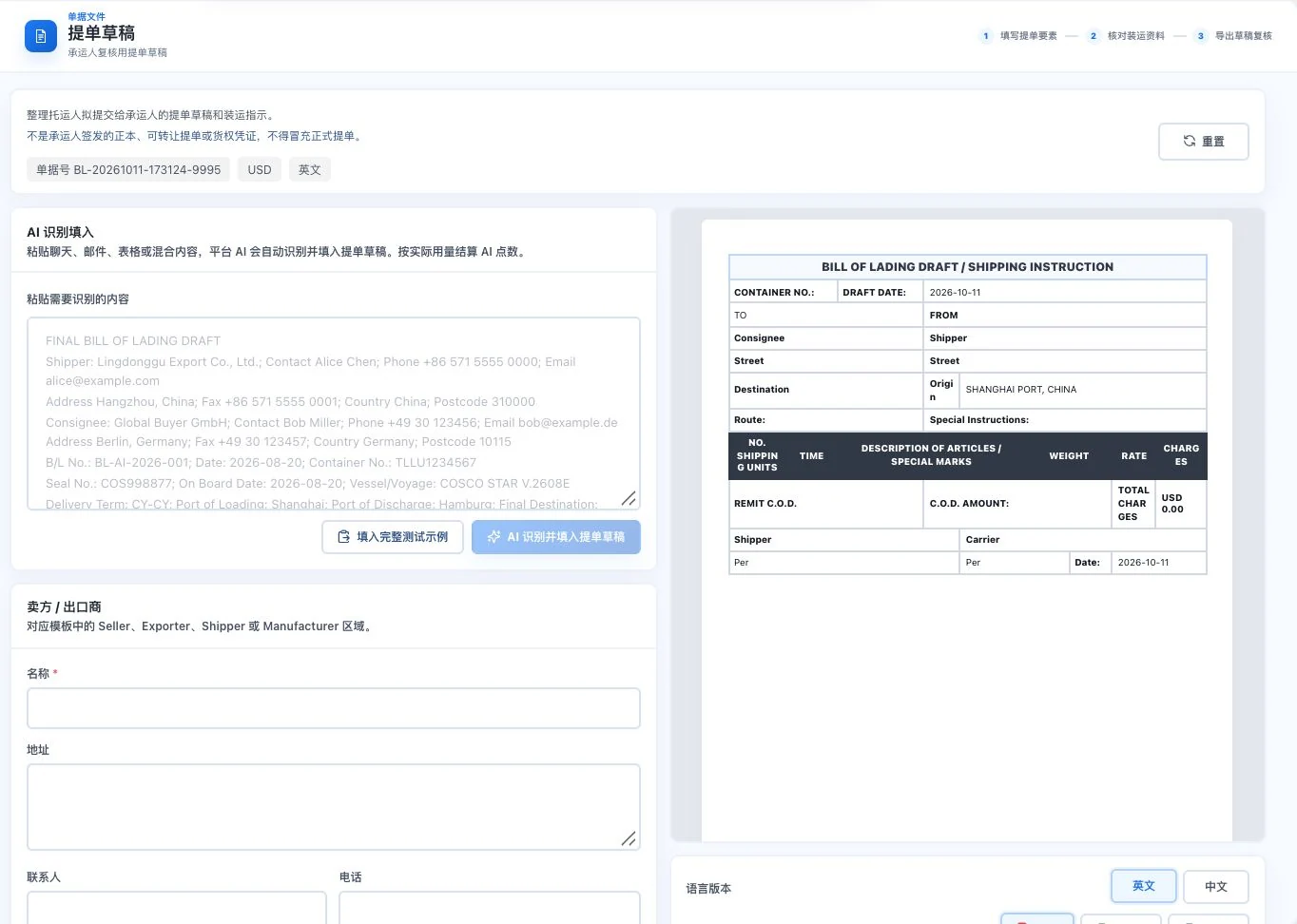
Default blank form and draft template. No AI call or export occurred. This is not a carrier-issued official bill of lading or proof of transport or title.
Specify bill-of-lading details for the relevant parties to confirm.
How the feature works. Actual results depend on information, permissions, and service requirements.
See this feature's highlights.
Check shipping, receiving, and relevant transport details.
See the actual stepsOrganize cargo and shipping information and view the draft.
See the actual stepsExport for further carrier review and issuance.
See how to checkIdentity information: shipping parties, receiving parties and related transport details.
See application scenariosBefore the carrier issues a bill of lading, use a draft to organize shipper, consignee and shipment details for checking.
See application scenariosSave confirmed information as a business reference. The carrier must still confirm the status of the final bill of lading.
See application scenariosUnderstand the tool and human handling separately
Specify bill-of-lading details for the relevant parties to confirm.
Organize cargo and shipping information and view the draft.
This compares feature handling scopes. Scenarios explain the sequence, not measured efficiency or completed customer cases.
Explain the feature through real work
Suppose consignee information changes during review.
Hypothetical scenario · Feature explanation, not a customer case or completed AI resultWhen to use it
Before the carrier issues a bill of lading, use a draft to organize shipper, consignee and shipment details for checking.
shipping parties, receiving parties and related transport details.
goods description and information for this shipment.
Complete steps
Prepare a bill-of-lading draft for the carrier to check. The carrier issues the formal bill of lading.
Check shipping, receiving, and relevant transport details.
Organize cargo and shipping information and view the draft.
Export for further carrier review and issuance.
Connect the work from step to step
Save confirmed information as a business reference. The carrier must still confirm the status of the final bill of lading.
Return to Quotations and trade documents for the complete workflowUnderstand before use
This feature prepares a draft. The carrier issues the official bill of lading.
Product facts and FAQsBack to the product feature directoryMore details in this product
Pass required transport updates using the same information.
Explore this feature on its own