State the list source first.
Explain the basis for contact and check the list's source first.
See the actual stepsPre-send check
Keep a verification step for important information before sending.
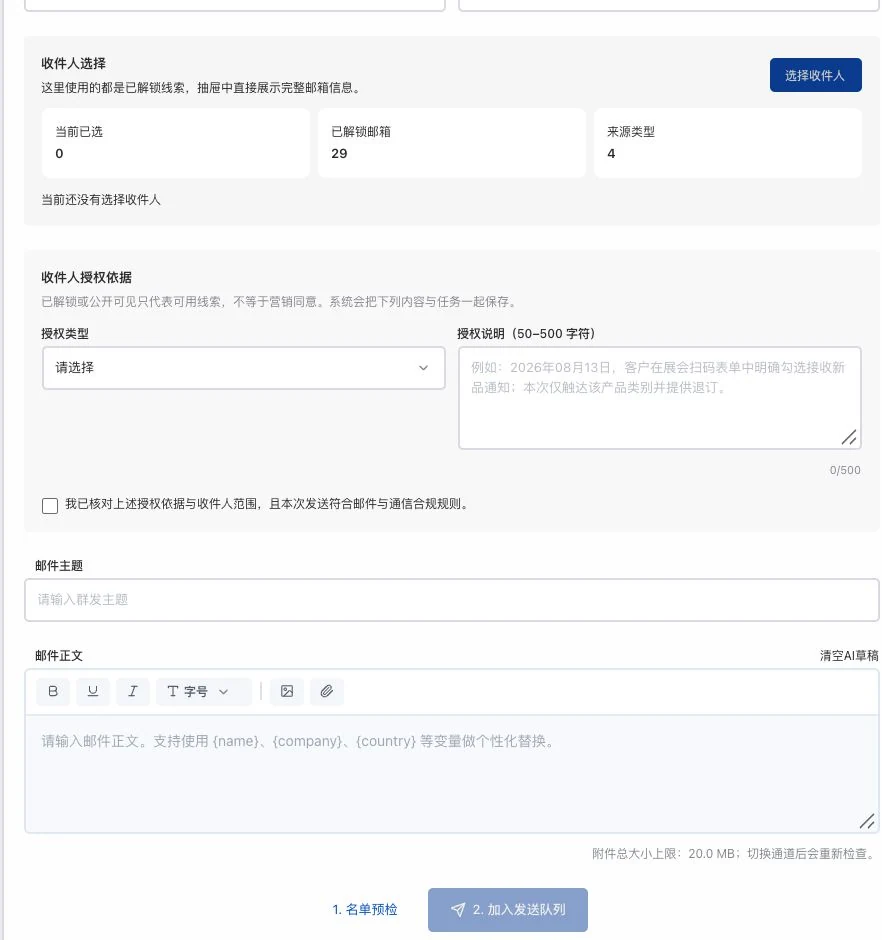
No recipients selected; basis, subject, and body are empty. No list preflight, task creation, or sending occurred. Existing information counts do not indicate contact permission.
Keep a verification step for important information before sending.
How the feature works. Actual results depend on information, permissions, and service requirements.
See this feature's highlights.
Explain the basis for contact and check the list's source first.
See the actual stepsCheck recipients, body, attachments, blocks and unsubscribes.
See the actual stepsRecheck after content changes, then proceed through the actual channel.
See how to checkUnderstand the tool and human handling separately
Keep a verification step for important information before sending.
Check recipients, body, attachments, blocks and unsubscribes.
This compares feature handling scopes. Scenarios explain the sequence, not measured efficiency or completed customer cases.
Explain the feature through real work
Suppose you replace the quotation attachment after preflight.
Hypothetical scenario · Feature explanation, not a customer case or completed AI resultWhen to use it
When the email and recipient list are ready, address the basis for contact, attachments and blocked items before deciding whether to send.
recipients, subject, body and attachments.
the list's source and the reason for this outreach.
Complete steps
Record the basis for contact, then check recipients, body text, attachments, blocks and unsubscribes. Recheck after changing content. Passing checks does not guarantee delivery or inbox placement.
Explain the basis for contact and check the list's source first.
Check recipients, body, attachments, blocks and unsubscribes.
Recheck after content changes, then proceed through the actual channel.
Connect the work from step to step
After submission, review actual queue and receipt status. Distinguish provider acceptance, delivery and customer replies.
Return to Email and WhatsApp · Linbo for the complete workflowUnderstand before use
Passing checks does not guarantee delivery, inbox placement or a reply.
Product facts and FAQsBack to the product feature directoryMore details in this product
Keep clear operational review records and do not send directly to unknown lists.
Explore this feature on its own